Category: Reviews

  • Huawei Matebook-A Mini Laptop Full Review

    Huawei Matebook-A Mini Laptop Full Review

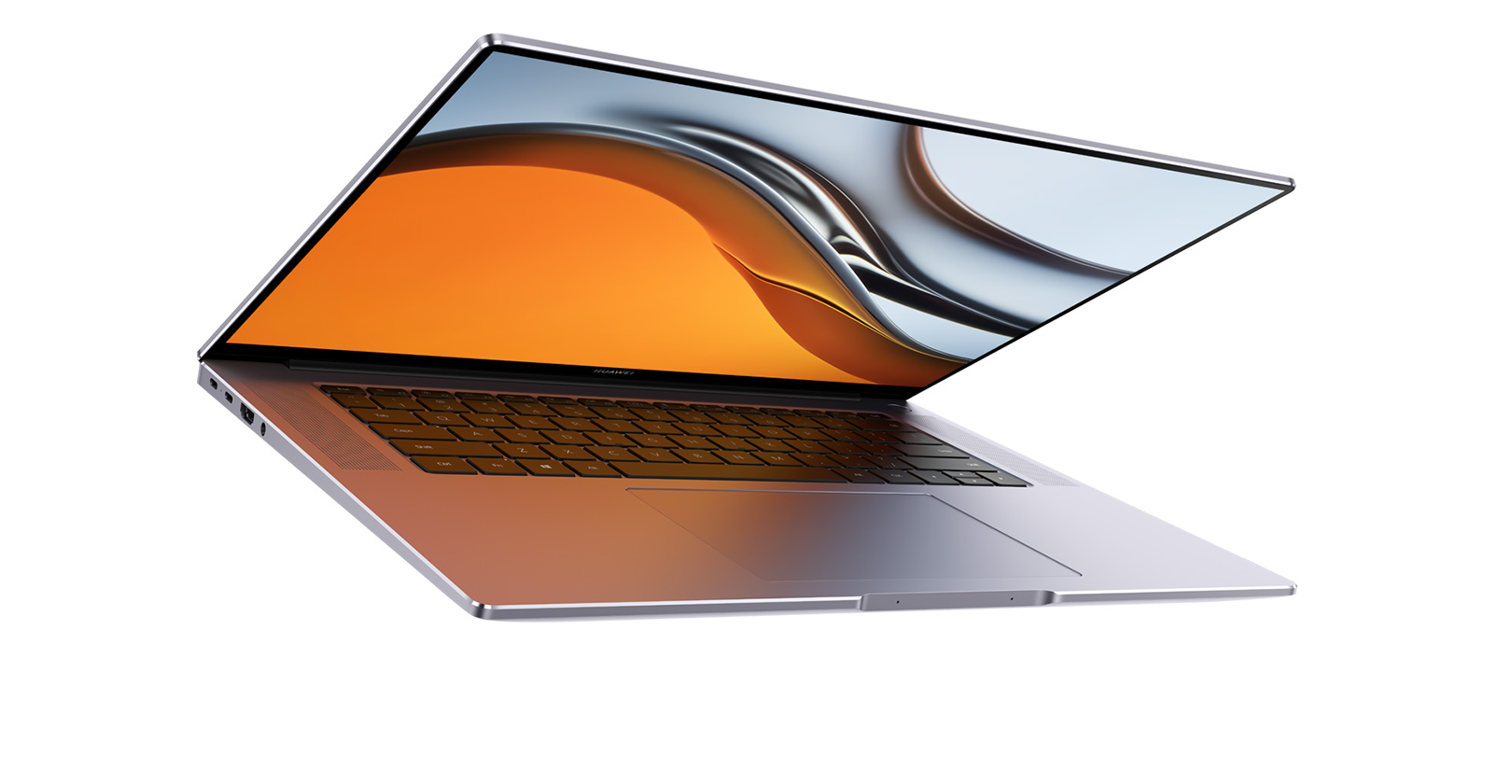
    Huawei Matebook offers a full-view experience that is limitless in every way. You can view a large image with a 13.9-inch body’s incredible 91% screen ratio to the body, which is now broader and better due to fewer bezels. Stream your favorite videos and video games in stunning clarity by immersing yourself in a sea of approximately 6 million pixels.

    Therefore, in this article, I will give you the Huawei Matebook-A Mini Laptop full review. If you want to buy this Matebook you can access it via the link below.

    Touchscreen magic with each stroke:

    And now we can move from a tab to a full screen! Enjoy easy scrolling, zooming, and selection on the thin, LTPS screen thanks to touch-sensitive navigation. Instead of utilizing snapshot tools, you may use three fingers to scroll down the screen and record the entire screen in any size or form. This clever technique gives you more freedom at work and play.

    Craftsmanship-t ready light metal:

    With its lightweight and thin metallic body, diamond-cut, polished finish, and unique design, this Matebook is incredibly portable. Your ideal traveling, working, and home companion.

    Free Touch:

    Everything seems to be at your fingers.

    The updated HUAWEI Free Touch touchpad provides a more supple response with each push and finger movement. You can use multi-finger movements more intuitively because of the roomy control area. It will constantly detect pressure and give you the desired reaction wherever you touch it.

    Performance- New heights of power:

    Comparing the new powerhouse to the previous generation, its CPU performance has increased by 22%. The Double-fan Cooling Mechanism on the Huawei Matebook deals with the most powerful system ever.

    Make it colder still:

    The super-slim thermal dissipation circuits and the new double Shark Fin fan layout increase airflow and quickly cool the PC for an improved working environment. Your Huawei Matebook deals with a smoother operating system, quicker process information, and runs more silently thanks to the enhanced cooling system, opening up more options than any prior model.

    Invigorated the whole day- More power is required for great competence:

    The Huawei Matebook X Pro has a massive 56 Wh battery that offers continuous power, allowing it to endure up to twelve hours of typical use on a single charge.

    In just 30 minutes, your Matebook will be fully charged, giving you enough time to enjoy a cup of your favorite coffee at a luxury time. Are you sick of traveling with so many chargers? Huawei Matebooks, tablets, and smartphones with USB-C connections may be swiftly charged with the ultra-compact 65 W pocket charger.

    Experience with Immersive Audio-Improved Inner and Outer Sound:

    Thanks to the robust quad loudspeakers and split frequency system. You may get a more immersive sound experience that allows you to hear the finer nuances in music or movie audio.

    The Huawei Matebook can detect your voice from about five meters away because the two new front microphones offer you more mobility while making calls. The sophisticated audio algorithm technology can also successfully filter outside noise so that you sound better.

    Read Next:

    Final reflection:

    Huawei Matebook deals with various key features offered by a laptop but with high quality and performance. This mini laptop has the finest and most powerful performance due to its advanced hardware. It is as helpful as a laptop offering easy carrying and an affordable price compared to a large laptop.

    So, this was all about Huawei Matebook-A Mini Laptop full review. If you have any questions please feel free to ask us in the comment section.

  • Game Accessories That will Enhance your Gaming Experience

    Game Accessories That will Enhance your Gaming Experience

    If you want a better gaming experience with Game Accessories will Enhance the Gaming Experience, it doesn’t matter if you’re using a PlayStation, Nintendo Switch, Xbox, or PC to play games; what you do need are gaming accessories!

    Gaming is one of the best ways to unwind, relax, and just have fun exploring all the different kinds of worlds you can go to when playing games. You can also connect with your friends and bond over games. But to get the most out of the experience, you would have to buy a few gaming accessories.

    Gaming accessories make gaming a lot better. It will significantly enhance your gaming journey to the max. With the use of gaming accessories, you’re also able to customize your gaming setup and find your aesthetic with the use of lighting or the color of your gaming chairs.

    With the current technological advancements, there are a plethora of gaming accessories that range from gaming headsets to gaming chairs. But don’t worry, we’ve listed for you the top 6 gaming accessories you should have. If you want to know more about gaming accessories, reviews, and guides, you can check out Techzumo.com!

    Ergonomic Gaming Chair

    First and foremost, the most important gaming accessory you should have is an ergonomic gaming chair. You might ask, “What’s the difference between a gaming chair and your standard computer chair?” Well, the biggest difference is that a gaming chair offers a ton of features that most regular computer chairs don’t have, such as adjustable armrests, lumbar support, and even speakers! Most gaming chairs also have a tilting feature to allow you to stretch and find a comfortable position.

    Without a proper gaming chair, long gaming sessions can lead to severe back pain and neck strains. This could result in permanent damage.

    An ergonomic gaming chair is one of the best investments you can make as a gamer because you are investing in your comfort and enjoyment. There are hundreds of different gaming chairs available on the market with varying prices that you can choose from. Not only are you comfortable, but you’re also lowering your risk of getting back pains.

    Gaming Headset

    Another great gaming accessory to spend your money on is a gaming headset.

    Gaming headsets are incredibly useful when it comes to multiplayer games. It allows you to communicate with your team loud and clear. Not only that, but having a gaming headset also gives you a better and much more immersive experience compared to your regular headsets.

    Some gaming headsets support surround sound and stereo sound, which can help you hear even the slightest sounds. This feature is great for shooting games.

    Gaming Keyboard

    A gaming keyboard is an essential gaming accessory. It is designed to make gaming much more comfortable, fun, and easy. It makes all the difference.

    There are a lot of different gaming keyboards out there, but a mechanical keyboard is the best for gaming. Mechanical keyboards are slightly more expensive than standard keyboards, but they are well worth the investment. Mechanical keyboards are superior for gaming since they have quicker response times, are more durable, have N-key rollover, allow for a lot of customization, and are immensely enjoyable to use.

    Speakers (optional)

    A high-quality speaker is a great alternative to gaming headsets if you don’t like wearing them or are uncomfortable wearing them.

    For gaming, both headphones and speakers have appealing capabilities to offer, and it all ultimately boils down to what your personal preference is and what type of game(s) you’re playing.

    Speakers are usually great for single-player games where you don’t have to communicate with other team members. Meanwhile, gaming headsets are much better for multiplayer games.

    Gaming Mouse or Controller

    If you’re a gamer, then a gaming mouse or controller is important. A gaming mouse has an advantage over others in terms of accuracy and control. This is because using a mouse has a lot more advantages than using a controller. That isn’t to say that controllers aren’t handy.

    Lighting

    Lastly, although not as vital as the ones mentioned above, is lighting. Lighting gets you into a better gaming mood, and it’s great for when you want to personalize your gaming setup.

    The lighting adjustments you choose will set the appropriate ambiance for your gaming. Lighting plays the most important part in the universe of your game, and it may make or break the graphics.

    Read next:

    Final Thoughts

    Gaming accessories are incredibly important and it plays a huge role in boosting your gaming experience.

    We hope that this was able to help you with Game Accessories that will Enhance the Gaming Experience

    Thanks for reading!

  • The Trendy Best Color Laser Printers for MacOS Monterey in the Market

    The Trendy Best Color Laser Printers for MacOS Monterey in the Market

    What are the best color laser printers for macOS Monterey? Numerous excellent options are available, but some are more useful than others, depending on what you attempt to accomplish. Here, we’ll look at the top color laser printers that will work best with your Mac.

    Before finding the best color laser printers for macOS Monterey, we must first examine the macOS Monterey system. Features it offers and how its operating system works.

    Quick Overview of the macOS Monterey System

    Because so many people use Macs for creative work, it is imperative that the printer you purchase for your Mac prints high-quality prints that suit your artwork or photography.

    Although macOS Monterey is a minor update, it contains several notable new features that enhance the Mac experience.

    Use a single mouse, trackpad, and keyboard on multiple Macs with universal control.  There’s also a new AirPlay to Mac option, which allows you to AirPlay movies, games, photos, and other media from your iPhone or iPad to your Mac. Safari now has an optional new tab bar design that blends in better with the background.

    It has changed the name of its paid iCloud plans to icloud+, which includes iCleaner Private Relay, which allows you to hide your browsing habits and the IP address from third parties.  FaceTime supports spatial audio, making voices sound like they’re coming from where the person is on the screen, and Voice Isolation eliminates background noise.

    With Live Text and Visual Lookup, Macs use on-device machine learning to detect text in photos. The Shortcuts app is built into macOS and allows you to run shortcuts from the menu bar, Finder, Spotlight, Siri, and other places. FaceTime allows users to share their screens with friends and family.

    macOS Monterey includes new privacy features such as Mail Privacy Protection, which prevents tracking pixels from being used in emails, and the Mac recording indicator, which notifies you if a Mac app uses the microphone. The third-generation Airpods on M1 Macs support Spatial Audio, and there are new Accessibility options.

    The most recent version of macOS Monterey is macOS 12.3.1, which includes new emojis, the removal of Python 2, and improvements to password saving. The update also resolves a Bluetooth-related battery drain issue on MacBooks while in Sleep Mode. Spatial Audio with dynamic head tracking for M1 Macs and Universal Control is a new feature.

    Top Trendy Color Laser Printers for macOS Monterey in 2022

    How can you select the best color laser printers for macOS Monterey?  Today, there are so many laser printers that picking the right one can be difficult. To help you decide, here are eight of the best color laser printers for Mac users today, along with their pros and cons. It allows you to make an informed decision about which printer will best meet your needs.

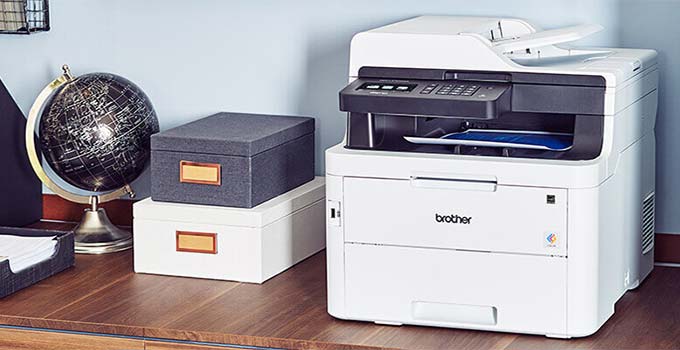
    1-Brother HL-L8360CDW

    Key Features:

    • Printing on both sides automatically
    • Speeds of up to 33 ppm are possible
    • 8 1/2 x 14-inch sheet
    • 1 x 17.4 x 12.3 inch dimensions
    • 1-pound weight

    Pros:

    • Overall, the print quality is excellent and fast.
    • Running costs are competitively low.
    • Paper capacity is highly expandable.
    • Cartridges with a high yield.
    • The most recent security features.

    Cons:

    • Photo quality is slightly below average.

    The HL-L8360CDW provides more expandability, twice the memory, a higher duty cycle, access to higher-yield toner cartridges, lower running costs, increased security, and extra features like near-field communication (NFC) and a color touch screen. It prints well and quickly, just like the HL-L8260CDW. For only $70 more, this makes the HL-L8360CDW a better value and our new top pick for a moderate-to-heavy volume color laser printer for a micro or small office or workgroup.

    The Brother HL L8360CDW multifunction printer is high-speed, with a print speed of 33 pages per minute (black-white). Furthermore, the triple-layer security features do not affect printing speeds, which is a plus. The print quality is also adequate. That statement holds accurate even when double-sided printing is enabled (duplex printing).

    This Brother All-In-One Laser Color Printer has an adjustable paper tray (250 paper capacity) and slots for additional paper, making it ideal for a small office. However, the lack of a print scan option and an automatic document feeder at this price severely limits the usefulness of this printer.

    Buy on Amazon

    2- HP Color LaserJet Pro M454dw

    Key Features:

    • Sheet sizes range from 3 x 5 to 8.5 x 14 inches.
    • 28 ppm print speed
    • 7″ color touchscreen display
    • 2 x 18.5 x 11.6 inch dimensions
    • 300 sheet capacity, 150 sheet capacity

    Pros:

    • Exceptional black and color page yield.
    • The printing speed is excellent.
    • Excellent connectivity options.
    • Superb laser print quality.
    • Minimalist footprint.

    Cons:

    • There is no scanner.

    The HP Color LaserJet Pro M454dw color laser printer is adequate for small offices. The laser model has an exceptionally high black and color page yield, reducing toner cartridge replacement costs and saving you money.

    It has a fast printing speed, supports the most common paper sizes, and can print in duplex mode automatically. It’s very well-made, and it has excellent connectivity options such as AirPrint, Mopria, and USB thumb drives. The mobile app is adequate, but it cannot print Microsoft Office files. In addition, the lack of a scanner may be an issue for some offices, and the poor photo printing quality makes it less suitable for home use.

    Buy on Amazon

    3- HP LaserJet Pro M283fdw

    Key Features:

    • Sheet sizes range from 4 x 6 to 8.5 x 14 inches
    • 22 ppm print speed
    • 7″ color touchscreen display
    • 5 x 16.6 x 13.2″ Dimensions
    • 250 sheet capacity, 100 sheet capacity

    Pros:

    • Dependable multifunctional machine.
    • Strong and durable.
    • A satisfactory printout result.
    • Easy to set up.

    Cons:

    • A second paper tray is not an option.

    The HP Color LaserJet Pro MFP M283fdw is a massive printing machine that can meet the demands of any busy office. The HP LaserJet Pro M283fdw, a multifunction threat that debuted in 2020, is a hit, with customers paying the approximately $500 required to own the HP LaserJet Pro M283fdw.

    This HP Color LaserJet Pro M283fdw prints at a resolution of 600×600 pixels.  The HP MFP M283fdw is equipped with a 250-sheet paper tray that can handle both standard and legal-size media 8.5″ x 11″ and 8.5″ x 14″ and a 50-sheet auto document feeder for scanning and copying.

    The EPEAT SILVER and Energy Star qualified HP Color LaserJet Pro M283fdw wireless laser printer receives high marks for its energy efficiency. The M283fdw works with any Computer running on windows or higher with 2 GB of hard disk space and an Intel, or 233 MHz compatible processor.

    Buy on Amazon

    4- Brother MFC-L8900CDW

    Key Features:

    • 5×11 sheet size
    • 33ppm print speed
    • 300-page paper capacity
    • 5″ color touchscreen display
    • Replacement toner has a page yield of 6,500.

    Pros:

    • It is quick and efficient.
    • Printing of high quality.
    • Print from a laptop, iPad, or phone.
    • It is simple to set up.

    Cons:

    • A little pricey for home use.

    The Brother MFC-L8900CDW has a paper tray that holds 250 sheets. It allows you to run many copies and go through an entire ream in two runs.

    This printer includes automatic duplex printing for even better color flyers and documents. You can print wirelessly using a WIFI connection and an Ethernet or USB connection. Finally, this printer has a five-inch color touchscreen that is large and impressive. The 8900CDW, like most laser printers, prints crisp text and charts. Because of how liquid ink works, the reader has a faint darker outline. Because toner does not have this issue, reading laser-printed documents is slightly more accessible to the eyes.

    The maximum resolution of this printer is 600 dpi, which is standard for laser printers. It is sufficient for images within documents and flyers. When you give a customer a colorful brochure, they are four times more likely to retain its information. High-quality color prints are required, and this printer will provide them.

    The Brother MFC-L8900CDW is excellent for businesses, small offices, or frequent users. Brother lasers are known for their durability and dependability, and this model is no exception.

    Buy on Amazon

    5- Canon Color Image CLASS LBP622Cdw

    Key Features:

    • 3 x 5, 8.5 x 14 inch sheets
    • 8-pound weight
    • 8 x 17.2 x 11.5 inches in size
    • Printing time as quick as 10.3 seconds
    • 600 x 600 dpi print resolution

    Pros:

    • The printing quality is excellent.
    • Excellent build quality.
    • The size is small.
    • Support for USB thumb drives.
    • The footprint is small.

    Cons:

    • The operating costs are a little high.

    The Canon Color Imageclass LBP622CDW printer is exceptionally well-made. The printer is not overly large, but it feels solid and sturdy. The display screen and control panel are located on the right-hand side edge. The LBP622CDW’s size is compact and not so bulky that it will take up too much space wherever you place it.

    Although the Canon Color Imageclass LBP622CDW is a single-function printer, the control panel is reminiscent of an old-fashioned copy machine. The board comprises a black and white LCD that displays some basic information. Several buttons and an LED indicator are stacked on the printer control panel.

    Canon Color Imageclass LBP622CDW is a simple but efficient entry-level printer. This printer is suitable for use in a household or a small office. The Canon Color Imageclass is capable of producing a large amount of output. Overall, the printer is well-designed, feature-rich, and simple to use.

    Because the printer is small and attractive, it will not take up much space. The cartridge system is quite good; it generates high-volume pages and does not require frequent replacement—the printer prints reasonably and at a reasonable cost per print. Canon Color Imageclass LBP622CDW, like other laser printers, is not intended for photo printing.

    Buy on Amazon

    6- Brother HL-L3270CDW

    Key Features:

    • Print Speed 25 ppm Sheet Size 8.5 x 11
    • 250 sheets of input capacity
    • 7″ color LCD
    • Toner Yield Per Box 1,000 / 1,000
    • Print Speed 25 ppm

    Pros:

    • Excellent build quality.
    • Quick print speed.
    • Printing costs are low.
    • The screen touch is quick and efficient.
    • It’s quick and simple to set up.

    Cons:

    • It lacks a scanner.

    The Brother HL-L3270CDW printer is suitable for both home office and student use. Even when completing large printing jobs, it has an impressive printing speed and a low cost-per-print. It also has a large input tray that can hold a lot of paper and a display screen adjusted to the user’s liking. It has an excellent design that removes paper jams from the back and makes it more manageable.

    The Brother L3270CDW has an eye-catching design. The printer’s body is mainly made of plastic, which gives it a rugged and sturdy feel. The input and output trays are both well-designed, with manual length and width sliders that adjust to the format of the paper.

    While a paper jam occurs, you can slide down the cover.  Furthermore, the power cord is removable, making it much easier to replace if it becomes damaged. Unfortunately, because this printer lacks a scanner, the output tray is exposed and uncovered on the printer’s top.

    Buy on Amazon

    7- HP Color LaserJet Pro Multifunction M479fdw

    Key Features:

    • Sheet sizes range from 3 x 5 to 8.5 x 14 inches
    • The black print speed is 28 ppm.
    • 50-sheet 2-sided auto document feeder
    • 3-inch display screen
    • 4 x 18.6 x 15.7 inch dimensions

    Pros:

    • Quick graphic printing.
    • The graphics and photo output are excellent.
    • The numerous mobile connectivity options.
    • Text in monochrome is crisp and high resolution.
    • The setup was relatively simple.

    Cons:

    • High potential operating costs.

    The HP Color LaserJet Pro MFP M479FDW is a solid mid-range All-In-One Printer with a robust feature set, fast print speeds, and excellent output quality. It’s a perfect all-around choice for any work, and it’s an excellent Mac-compatible option, such as the best printers for Mac. The HP Color LaserJet Pro MFP M479FDW is ideal for medium-sized businesses and home offices where printing is an integral part of the day.

    The HP LaserJet Pro M479FDW All-In-One Color Laser Printer has a print speed of 28ppm, adequate for a medium-usage home or office printer, and roughly the same as the Brother MFC-L3770CDW Laser.

    Duplex printing and a 50-sheet single-pass auto-duplexing automatic document feeder are included with the HP Color LaserJet Pro MFP M479FDW. The paper input tray can hold 250 sheets in the central drawer and 50 sheets in the override tray for 300 sheets. However, this paper’s capacity feels like 600 sheets with duplex printing.

    Buy on Amazon

    8- Brother HL-L3290CDW

    Key Features:

    • 5-x-8-inch sheet size
    • 7 x 16.1 x 14.5 inch dimensions
    • 8-pound weight
    • Printing at a rate of 25 pages in a minute
    • Wi-Fi Direct and USB interfaces are available

    Pros:

    • Produce quality office files at a low cost.
    • Colorful documents are printed on laser printers with crisp, vivid colors.
    • It can print at high speeds.
    • The 250-sheet adjustable paper tray helps to reduce refills.

    Cons:

    • It is overpriced.

    As a color laser-class multifunction printer for a small home office or workgroup, the Brother HL-L3290CDW provides good text and graphics output speed and quality. The HL-L3290CDW has a straightforward panel with a few buttons for copying and conversing with the drill-down style menus and a small two-line monochrome display.

    Nonetheless, you can configure and monitor the printer via a built-in website, allowing you to configure users and other security parameters.

    The Brother HL-L3290CDW has a 250-sheet primary drawer and a one-sheet override tray above it. A print volume of 1,500 pages and a maximum monthly duty cycle are recommended.  Both black and white printing speeds are 25 pages per minute with the HL-L3290CDW.  It prints a Microsoft Word text-based document at 23.8ppm in testing.

    The Brother HL-L3290CDW is a fantastic printer, but its lack of an ADF and Ethernet make it a mixed bag of color laser printer options. But it’s not a deal-breaker. It is swift and prints well.

    Buy on Amazon

    Conclusion

    We’ve been trying to decide which color laser printer would be best for us. So we could get the most bang for our buck and stretch our money as far as possible. We’ve researched and determined the best color laser printers for macOS Monterey if you want to save money in the long run.

    Read Next:

    Frequently Asked Questions

    Q: Do I need a Mac-specific printer?

    A: Unlike Windows PCs, you can plug in almost any printer, and the Mac will install it without any disks. The operating system is the only distinction between a Mac and a PC.

    Q: Is it possible to connect any printer to a MacBook?

    A: Most printer models can be connected to a Mac and fully configured for AirPrint. Printer drivers are not needed since you can download drivers via Wi-Fi, Ethernet, or even an old-fashioned USB cable.

    Q: Is there a wireless printer available from Apple?

    A: Most popular printers support AirPrint, allowing you to print wirelessly from your Mac. It is not necessary to download and install printer drivers. Most popular printer models include AirPrint; for a list of printers that support AirPrint.
  • The Latest Best Monitor For Video Editing And Gaming That You Have To Know

    The Latest Best Monitor For Video Editing And Gaming That You Have To Know

    Are you looking for the latest best monitor for video editing and gaming? If so, then you have come to the right place! We’ve selected the best monitors currently available based on our extensive research and experience with these specific monitors! I hope you find this helpful list, and please let us know which monitor you end up purchasing in the comments section below!

    An Overview of Buying Any Monitor For Gaming And Video Editing

    A monitor comprises a visual display, circuitry, and a casing. In today’s technological world, they have become increasingly common. Not all monitors, however, are created equal for various purposes, you’ll need a specific monitor. A gaming monitor, for example, is required for gaming. This type of monitor has unique features that set it apart from regular multimedia monitors. It’s designed for competitive gaming, but it is also best for editing.

    What Is The Best Monitor For Video Editing And Gaming In 2022?

    A versatile and multipurpose monitor is the best monitor for video editing and gaming. If you want to use a single monitor for gaming and editing, here are some features when choosing the correct device.

    1-Screen Dimensions

    When purchasing a video editing and gaming monitor, you should consider the screen size. A 27-inch screen will suffice for some people, while a 32-inch screen will suffice for others. A larger screen will allow you to enjoy your gaming while also making editing easier.

    2-Resolution of the Screen

    When buying a monitor for gaming or editing, screen resolution is one of the most critical factors. You want a solution that will give you the best image quality possible, which means getting one with a high resolution. For better resolution, opt for a 4K or 4K+ monitor.

    3-Panel Types

    Panel type is crucial when it comes to video editing and gaming monitors. Although VA panels are the most widely used, they are not without flaws. IPS panels have superior color and contrast to TN panels and a faster response time. On the other hand, TN displays lack the sharpness of IPS panels, which are better for video editing and gaming.

    4-HDR Compatibility

    It is critical to select a monitor that supports HDR for gaming and editing. This technology boasts a video’s contrast and color range, resulting in a more realistic image. A video editing monitor’s maximum brightness should be 1000 cd/m2. Some monitors can support multiple HDR standards. Choose a monitor that supports Dolby Vision and the more popular HDR10+ standard for optimal HDR editing.

    5-Color Balance

    Color balance is another factor to consider when purchasing a gaming or video editing monitor. Some displays are better than others for video editors. You’ll probably need a higher-brightness show if you’re making a lot of clip trimming or white-balance adjustments. Choose an 8-bit color monitor with a wide color gamut and depth.

    6-Refresh Rate

    When purchasing a gaming monitor, the refresh rate and response time are two critical factors. While these features aren’t essential for editing, they’re necessary for gaming. To play games, you’ll need a monitor with a refresh rate of 144 Hz. For a better gaming experience, higher refresh rates are required.

    7-Connectivity

    It would help if you considered connectivity when purchasing a gaming or editing monitor. You must ensure that the monitor and graphics card are compatible. Then check if the monitor has various input and output connectivity options. HDMI, DisplayPort, USB, Optical, Mini DisplayPort, and Thunderbolt should all be included.

    8-Monitor Calibration

    Before purchasing one, you should know how to calibrate a video editing and gaming monitor. Calibration is a procedure that allows you to neutralize the monitor’s output. The gamma and luminance settings, among other things, play a role in monitoring calibration. To make the process easier, choose a monitor that comes with calibration software.

    The Latest Best Monitor for Video Editing And Gaming In 2022

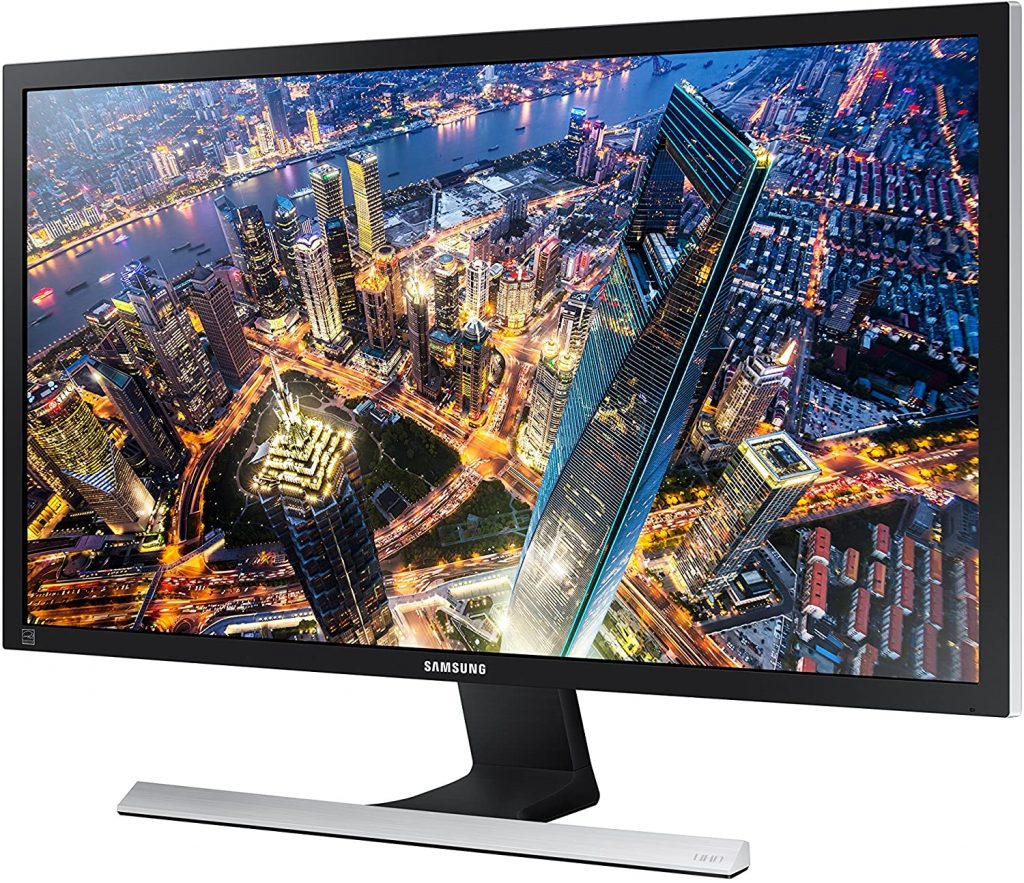
    1-SAMSUNG U28E590D Lit Monitor In Budget

    The Latest Best Monitor For Video Editing And Gaming
    SAMSUNG U28E590D

    Features:

    • 60 Hz Refresh Rate
    • 28-inch screen size
    • 2 HDMI Inputs
    • 6-pound weight
    • 01 x 7.36 x 18.44 inch dimensions

    Pros:

    • The bright and clear image quality.
    • AMD FreeSync is software that allows you to sync.
    • Pixel response time is quick.
    • Grayscale performance is excellent.

    Cons:

    • Limited features

    The Samsung U28E590D is a fantastic 28-inch 4K UHD LED-lit monitor with excellent color saturation and a wide viewing angle. This monitor has a low price, making it the best budget monitor for gaming and video editing. It also has a Game Mode feature, which improves the image quality.

    The Samsung U28E590D has several features, including the ability to tilt the Screen to improve your viewing experience. The monitor has 64 times the number of colors as a standard HD monitor, plus HDR10 color accuracy and an Eye Saver mode that reduces blue light levels and eliminates flickering at all brightness levels. The sleek and contemporary design allows you to connect four displays to a single monitor.

    A touchscreen with physical buttons is included with the Samsung U28E590D. For gamers, this monitor is a good choice. AMD FreeSync, which is a variable refresh rate, is supported. With this display, you can expect a 1ms response time. The gamma rating of the Screen indicates the video’s quality. The gamma rating is a good indicator of a monitor’s content quality.

    The Samsung U28E590D has a large screen and produces ultra HD video. The Screen’s brightness is also quite impressive. It also has a 60Hz refresh rate and two HDMI and one DisplayPort ports.

    Buy on Amazon

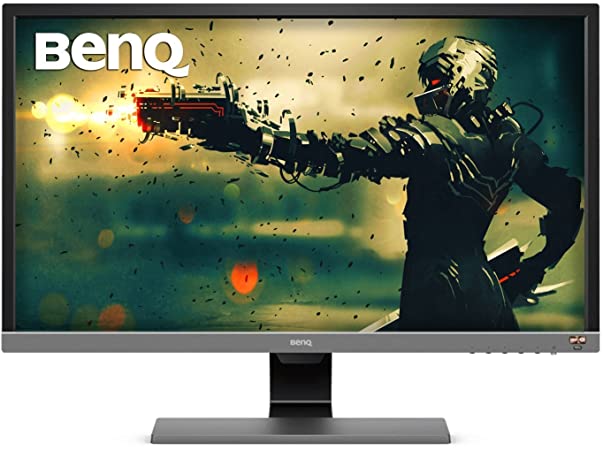
    2- BenQ EL2870U Monitor for Gaming

    The best gaming monitor
    BenQ EL2870U Monitor for Gaming

    Features:

    • 60 Hz Refresh Rate
    • 28-inch screen size
    • 2 HDMI Inputs
    • 3840 x 2160 pixels is the screen resolution.
    • 54-pound weight

    Pros:

    • For a 4K gaming monitor, this is a reasonable price.
    • The colors are suitable for a TN panel.
    • Pixel response time is quick.
    • HDR compatibility.
    • Support for AMD FreeSync

    Cons:

    • Because of the low brightness and contrast, HDR cannot shine.

    In terms of outward appearance, the BenQ EL2870U is quite attractive. The black and gray colors compliment each other nicely, resulting in a neutral and discreet design without being dull or uninspired.

    The BenQ EL2870U is a 28-inch 16:9 monitor with a 4K TN panel, a 60Hz refresh rate, a 1ms gray-to-gray response time, and HDR10 support.

    It performs exactly as a TN monitor should, with a rapid 1ms response time. However, it’s still only a 60 Hz monitor, as we have seen no affordable 144 Hz 4K options yet.

    Buy on Amazon

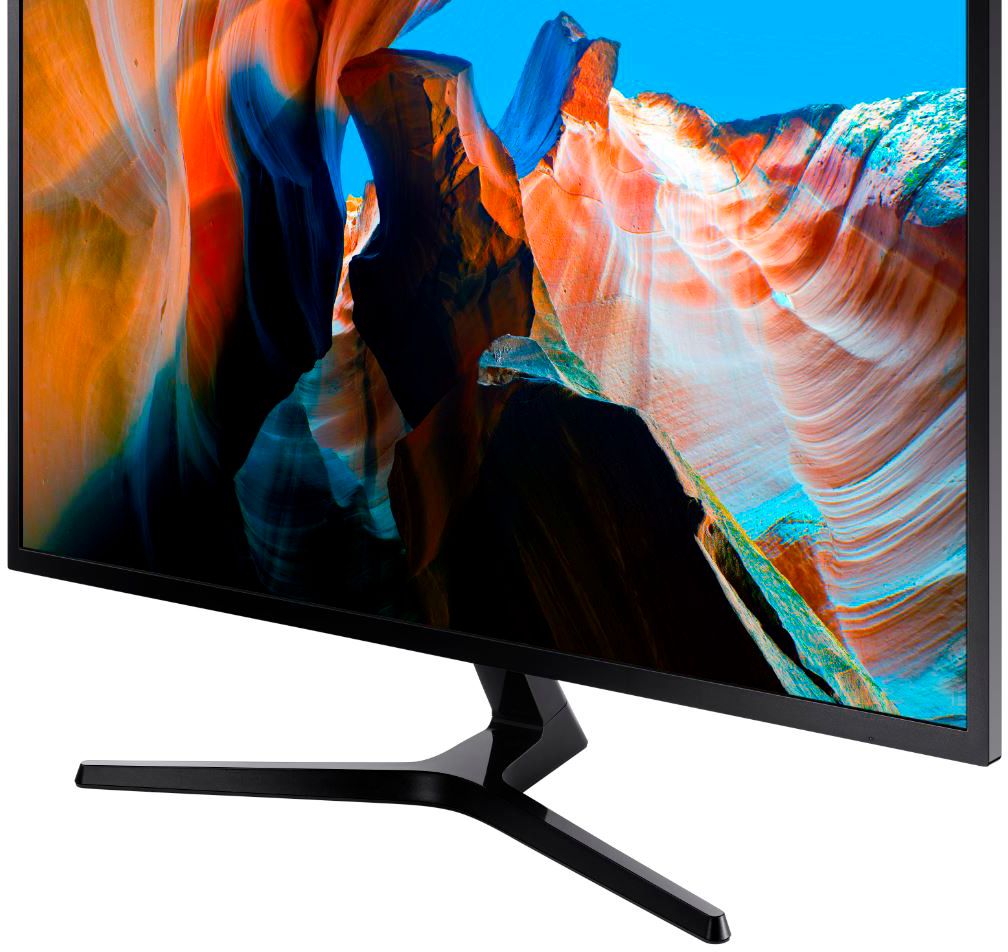
    3- SAMSUNG LU32J590UQNXZA 4k Monitor

    The top monitor for video editing
    SAMSUNG LU32J590UQNXZA 4k Monitor

    Features:

    • 60 Hz Refresh Rate
    • 5-inch screen size
    • The surface of the Screen is Flat
    • 3840 x 2160 pixels is the maximum screen resolution.
    • 9-pound weight

    Pros:

    • Excellent performance in a dark room.
    • There are a lot of screens for real estate.
    • Up-scaling of lower resolutions is excellent.
    • Speakers built-in.

    Cons:

    • Peak brightness is disappointing.

    Samsung produces a perfect 32-inch 4K monitor that is affordable and ideal for a dual-screen setup; its minimalist aesthetics is finished in matte bluish gray. It makes good image quality, with a high native contrast ratio and good black uniformity. It has a fast response time and supports FreeSync VRR. Unfortunately, it can’t get dazzling to overcome glare in a bright room, and when viewed at an angle, the image degrades. It also has a fixed stand that can only tilt, so you may not position it in the best viewing position.

    It has a panel with UHD resolution, pleasant contrast, a 270 nits peak brightness, and 178-degree horizontal and vertical viewing angles.

    This monitor can be wall-mounted or used with a monitor arm thanks to its VESA 100×100 mount holes. Dual monitor arms can be purchased and placed at the back of the desk, allowing you to use it comfortably from two to three feet away. You will align the monitors so that their sightlines are aligned with yours and save space on your desk.

    Buy on Amazon

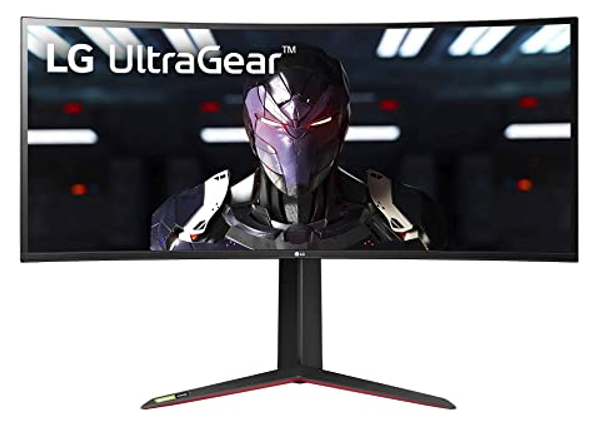
    4- LG 34GN850-B Premium Pick

    Top Gaming Monitor
    LG 34GN850-B Premium Pick

    Features:

    • 76-pound weight
    • 3 x 12.3 x 18.3″ Dimensions
    • 34″ wide Screen
    • 3440 x 1440 pixels is the screen resolution.
    • 144 Hz Refresh Rate
    • 1 USB 3.0 port

    Pros:

    • Excellent motion clarity.
    • Design that is both stylish and elegant.
    • IPS visuals that are luscious.
    • Compatibility with G-Sync.

    Cons:

    • It doesn’t have USB-C connectivity.

    The LG 34GN850-B is a high-end gaming and video editing monitor with a stylish design. Red and black color schemes are present. It’s not garish or tacky but rather a rich, saturated palette. Thin bezels surround the screen.

    It’s a 34-inch ultra-wide monitor with a screen resolution of 3440 x 1440 and a Nano IPS display. The LG 34GN850-B offers a wide range of features and a wide viewing angle. It’s simple to use and has excellent color reproduction. If you like to play games or edit videos on your computer, you’ll love this monitor.

    The LG 34GN850-B is a high-quality display with a great color accuracy and contrast ratio. The Screen’s build quality is excellent. In the bezel, there are no visible flexes. There is a stand that can be flexible ergonomically to suit different positions. Its curved design makes it highly comfortable to use.

    This monitor has a refresh rate of 144Hz, which is more than sufficient for gaming. Aside from that, it supports G-Sync, which makes gaming more enjoyable. The Screen has VESA display HDR 400 and a DCI-P3 color gamut of 98 percent. It comes with a stand that can be flexible to help you change the Screen. Despite the monitor’s high price, all its features are well worth it.

    Buy on Amazon

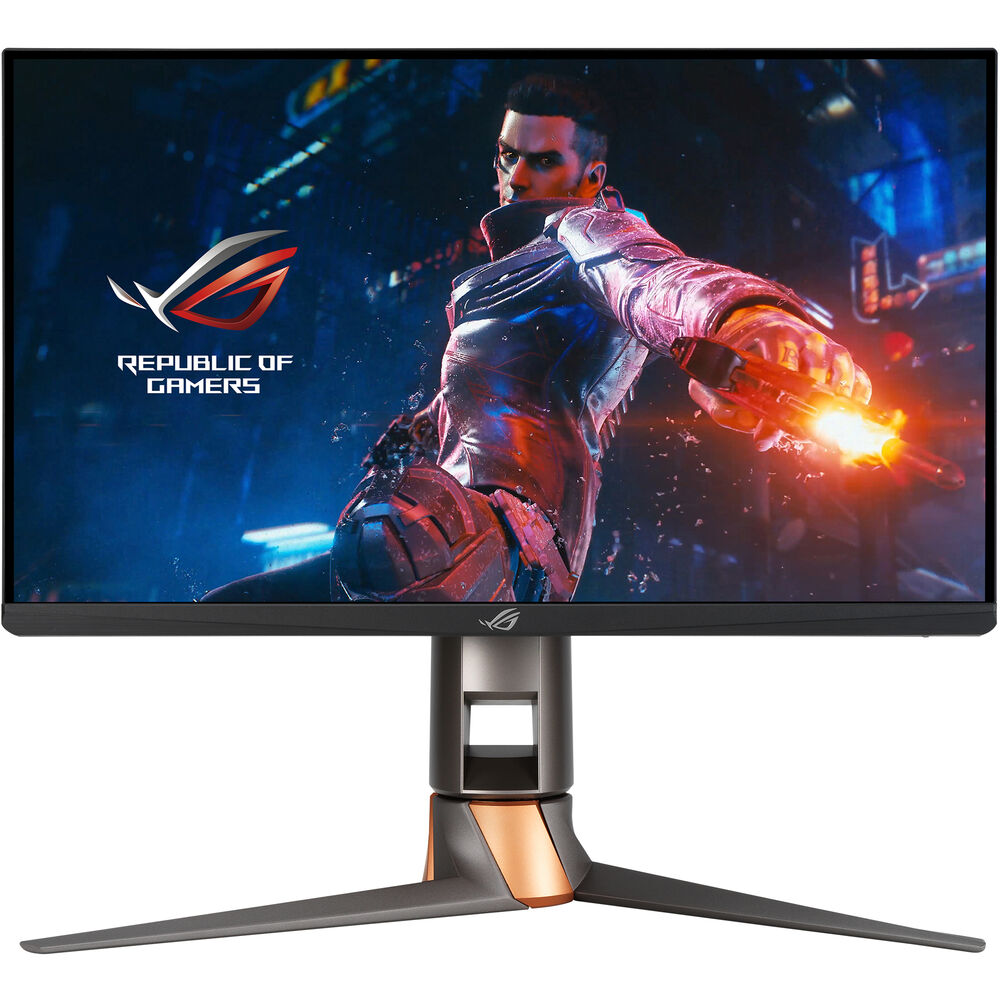
    5-ASUS ROG Swift  PG259QN Monitor

    the latest monitors for video editing and gaming
    ASUS ROG Swift  PG259QASUS ROG Swift  PG259QN MonitorN Monitor

    Features:

    • 360 Hz Refresh Rate
    • 25-inch screen size
    • 1920 x 1080 pixel resolution
    • 65-pound weight
    • ‎100-240 Volts

    Pros:

    • Color accuracy and DCI-P3 results are excellent.
    • The top-of-the-line refresh rate of 360Hz
    • Response time is quick.
    • IPS contrast is perfect.

    Cons:

    • A little pricey

    A high-quality monitor is required for fast action and esports games. It is where the ROG Swift 360Hz PG259QN comes in handy. It has a 1920 x 1080 Full HD display, 1ms grey-to-grey response time, NVIDIA G-SYNC processor, and ROG design. All of these features make it ideal for gaming and video editing.

    The ROG Swift 360Hz is a high-performance gaming monitor designed for competitive eSports players. While the ROG Swift is more than a few hundred dollars more expensive than comparable models, the extra features are worthwhile.

    The ASUS ROG Swift has excellent build quality. Although it is made of plastic, the base is solid metal. When rotating the Screen, the hinges feel secure. Despite the lack of premium materials, the monitor’s build quality is excellent.

    The screen size on this monitor is 24.5 inches, which is the bare minimum for gaming. Aside from that, it has a refresh rate of 360 Hz and a 1080P full HD screen resolution. It’s a high-resolution gaming monitor with a fast frame rate panel. The response time is 1 minute, which is excellent. G-Sync is included, as well as an intelligent cooling system. It avoids overheating issues.

    HDR10 improves color quality and makes editing easier. Eye care technology, an ergonomic stand, HDMI, DisplayPort, and USB connectivity are just a few of the extra features included with this monitor. It’s the world’s first monitor with a 360Hz refresh rate. Because of these features, it’s an excellent high-end monitor.

    Buy on Amazon

    How Do We Check Monitors?

    Choosing the best video editing and gaming monitor can be difficult, especially with many variables. If you know what to look for, it’s not as harsh as you might think! Compare contrast ratio and response time to ensure that your monitor won’t force you to re-edit shots due to visual inconsistency or lag.

    Read Next:

    Conclusion

    When looking for the latest best monitor for video editing and gaming, your monitor’s color accuracy and response time are the first to consider. Choosing the right monitor to meet your needs can be tricky, even though many excellent monitors are available. We tested many monitors to see which ones are the best design, picture quality, price/performance ratio, and overall features. You will learn everything you need to know about these new products by reading this article, allowing you to make an informed purchasing decision!

    Frequently Asked Questions

    Q: For video editing, what Hz monitor should I get?

    A: Some have handles on them. Keep an eye on the refresh rate: While a 30Hz refresh rate is adequate for everyday monitors, video editors will require a refresh rate closer to 60Hz for speed and accuracy.

    Q: What is the purpose of having two monitors for gamers?

    A: Using a dual monitor setup, you can multitask while playing your favorite video games. This additional screen space can be used as a desktop for browsing the web, watching videos, or displaying game walkthroughs and other information.

    Q: Is V sync a good option?

    A: When it works properly, VSync is a fantastic option. It improves your gaming experience by preventing screen tearing, but it also prevents your GPU from overworking itself by rendering frames that are simply tearing your game.

  • What Do You Need in a Gamers Site?

    What Do You Need in a Gamers Site?

    It has not been very long ago that e-games and esports were unheard of. Today this e-commerce is worth well over a 1-billion. By 2024, that number is expected to double. There are many popular gaming sites such as Justgamers, but how do you identify them? How do you know where to go for the best gaming experience? Hopefully, this article will clear that up for you.

    You are a gamer and want to discover new games. There are thousands of games out there, but you have no time to play them all. Use reelsoso, the gaming website that recommends new games based on your taste!

    Inside the article, you will get all about what you need in a Gamers site. I hope this guide will help you to find the best gaming websites.

    Features of a good site

    You can play the best game in the world, but if the gaming site cannot keep up with it, you are left frustrated. There are some specific features a great gaming site must have if it is to compete in this market. Remember, you are only as good as the site you function on. So, what are some main factors to consider?

    User-friendly interface

    It is critical for a gaming website to offer a user-friendly website. While this is true in all e-commerce websites, it will make or break a gaming website. Gamers put a lot of effort into building their skills and speed. This is not child’s play. Money and prestige are involved. A player cannot lose confidence in the interface he is working with. A player must feel comfortable with the interface so he can concentrate on the game. If the interface fails him once, he will probably never return. It is important to inquire about the interface and do a “test run” before you make any choices.

    What Do You Need in a Gamers Site?
    User-Friendly Interface

    Bugless games

    A good game must be bug-free. Nothing is more frustrating than a game that does not function properly. This is one of the top reasons a gamer will not return to a site. Be sure your gaming site uses quality games made by quality manufacturers. A game that does not have all of its bugs worked out should never be offered to a customer. That is, not if you want to keep him as a customer.

    Game variety

    It is important that a gaming site has a widely diversified game inventory. If they only have battle games or racing games, they are one-dimensional and cut out a good portion of their own clients. Gamers expect games that include sports, action, adventure, cards, and much more. People want variety and the option to try something new when they feel like it. They also want the latest and greatest of all popular selections.

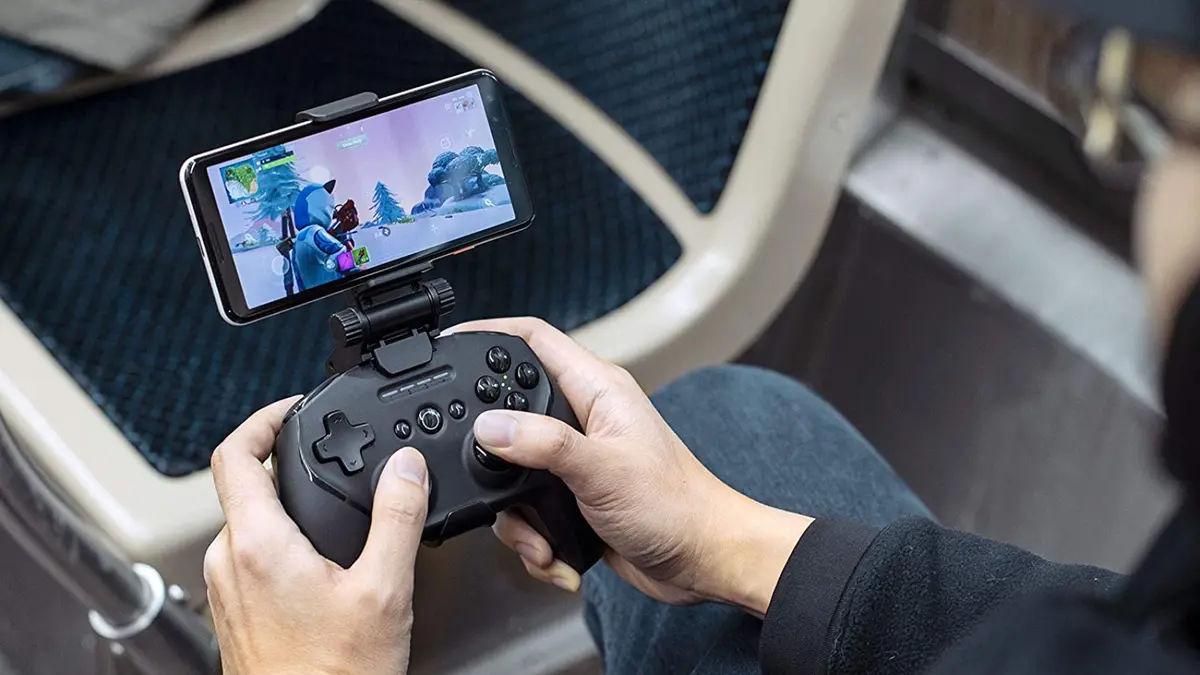
    Fortnite Game
    Fortnite Game

    E-Sports

    Along with the thriving industry of eGames, there is ESports. E-sports are video games played in an extremely organized environment. They are sometimes played in team-oriented multiplayer battle arenas. They can range from popular, first-person shooters, to team-oriented, multiplayer online battles. There are also survival battle royals and virtual reconstructions of physical sports. While viewership of traditional sports is declining, esports is booming!

    What the future holds

    The evidence is clear. E-sports are growing at a faster rate than even experts in the field predicted. According to gaming hardware leader Nvidia (NASDAQ:NVDA), there are 2.6 billion gamers around the world, and the global audience for esports is nearing half a billion people and growing.

    Countless new games are developed and released by top esports franchises continually. Yet games like CSGO, Dota 2, and League of Legends, which are several years old, still boast millions of players, topping the charts.

    This industry will continue to evolve. We cannot even imagine what the games of tomorrow will be like. We don’t know how computer systems, equipment, technology, and artificial intelligence will grow. E-sports will take us to levels of play, we never dreamed of.

    People who for physical or geographical reasons could not enjoy a sport could become so good at it that they can compete against other players in the world.

    Advanced and secure infrastructure

    Egaming and ESports are for adults. The sites you use require you to register and provide identification to prove you are over 18. When you set up your account, you will find ways to fund your account. This is to play games or place bets on events. You must be careful to set it up correctly because winnings are deposited to you.

    When you choose a gaming site, check the methods of payment they accept. Read the time frame required to receive your winnings, and make sure the site is secure and encrypted.

    Read Next:

    Conclusion

    There are good gaming sites, like the one linked above. We urge you to check the things mentioned in this article. Read online reviews. Check the games they have and log in and play a few games. Make sure you are comfortable on the site. Can you maneuver well? Can you find what you need? If you need help, is it readily available? If so, you may have found your gaming site.  So get started soon.

  • 5 Best SIM Deals In London 2022

    5 Best SIM Deals In London 2022

    Looking for the best SIM deals for London in 2022? Look no further! In this blog post, we will explore some of the best SIM deals available in London right now. We will also provide tips on how to find the best deal for your needs. So whether you are a student looking for a cheap SIM deal or an expat looking for a plan that includes international calling, we have you covered!

    Traveling to or living in London can be expensive, especially when it comes to your phone bill. 

    Data roaming charges can quickly add up, and if you’re not careful you could end up paying hundreds of pounds for a few days’ use.

    We’ve done the research for you and found the 5 best SIM deals in London for 2020. Whether you’re looking for a short-term deal or want to sign up for a longer contract, we have something for everyone.

    Three plans

    Three is one of the best SIM providers in the UK and their plans are perfect for those who want to stay connected while traveling. Their unlimited data plan costs £20 per month and you can use your SIM card in 71 destinations worldwide without incurring any additional charges. Additionally, their Go Roam SIM-only deal includes 20GB of data for just £15 per month. And if you are a student, you can get a discount on all three plans!

    • Unlimited data for £20 per month
    • Free-roaming in 71 destinations worldwide
    • 20GB of data for £15 per month with the Go Roam SIM-only deal
    • Student discount available

    Giffgaff SIM-Only Deals

    Giffgaff is a SIM provider that offers some of the most competitive SIM-only deals in the UK. Their plans start at just £12 per month and they offer a variety of data allowances to suit your needs. Additionally, all Giffgaff SIM cards come with free roaming in the EU. So whether you are traveling for work or pleasure, Giffgaff has a SIM deal that is perfect for you!

    • £12 per month
    • Free-roaming in the EU
    • Plans with data allowances starting at 500MB
    • Variety of deals to choose from
    • Tethering allowed
    • No contract required
    • Sim-only deals starting at £12 per month
    • Free-roaming in the EU
    • 500MB of data or more available
    • Tethering allowed
    • No contract required

    Sky Mobile SIM-Only Deals

    Sky Mobile is a SIM provider that offers some of the most competitive SIM-only deals in the UK. Their plans start at just £12 per month and they offer a variety of data allowances to suit your needs. Additionally, Compare My Mobile offers SIM cards that come with free roaming in the EU. So whether you are traveling for work or pleasure, Sky Mobile has a SIM deal that is perfect for you!

    • £12 per month
    • Free-roaming in the EU
    • Plans with data allowances starting at 500MB
    • Variety of deals to choose from
    • Tethering allowed
    • No contract required

    Vodafone SIM-Only Deals

    Vodafone is one of the largest SIM providers in the UK and they offer a variety of SIM-only deals to suit your needs. Their plans start at just £15 per month and they offer a variety of data allowances to choose from. Additionally, all Vodafone SIM cards come with free roaming in the EU. So whether you are traveling for work or pleasure, Vodafone has a SIM deal that is perfect for you!

    • 15 per month.
    • Free-roaming in the EU.
    • Plans with data allowances starting at 500MB.
    • Variety of deals to choose from.
    • Tethering allowed.
    • No contract is required.

    Smarty SIM-Only Deals

    Smarty is a SIM provider that offers some of the most competitive SIM-only deals in the UK. Their plans start at just £12 per month and they offer a variety of data allowances to suit your needs. Additionally, all Smarty SIM cards come with free roaming in the EU. So whether you are traveling for work or pleasure, Smarty has a SIM deal that is perfect for you!

    • £12 per month
    • Free-roaming in the EU
    • Plans with data allowances starting at 500MB
    • Variety of deals to choose from
    • Tethering allowed
    • No contract required

    So there you have it, our top five SIM deals for London in 2022! Whether you are a student, an expat, or just looking for a cheap SIM deal, one of these providers is sure to have a plan that suits your needs. So what are you waiting for? Get connected today!

    Read Next:

    Final Words

    If you are looking for the best SIM deals in London, we have you covered. Our list of the top five providers will give you an idea of who to go with and what to expect. Keep in mind that these deals can change at any time, so be sure to check back often for updates. Have you found a great deal that we missed? Just let us know in the comments below!

  • Siemens 6AV2123-2GB03-0AX0: A Comprehensive Guide

    Siemens 6AV2123-2GB03-0AX0: A Comprehensive Guide

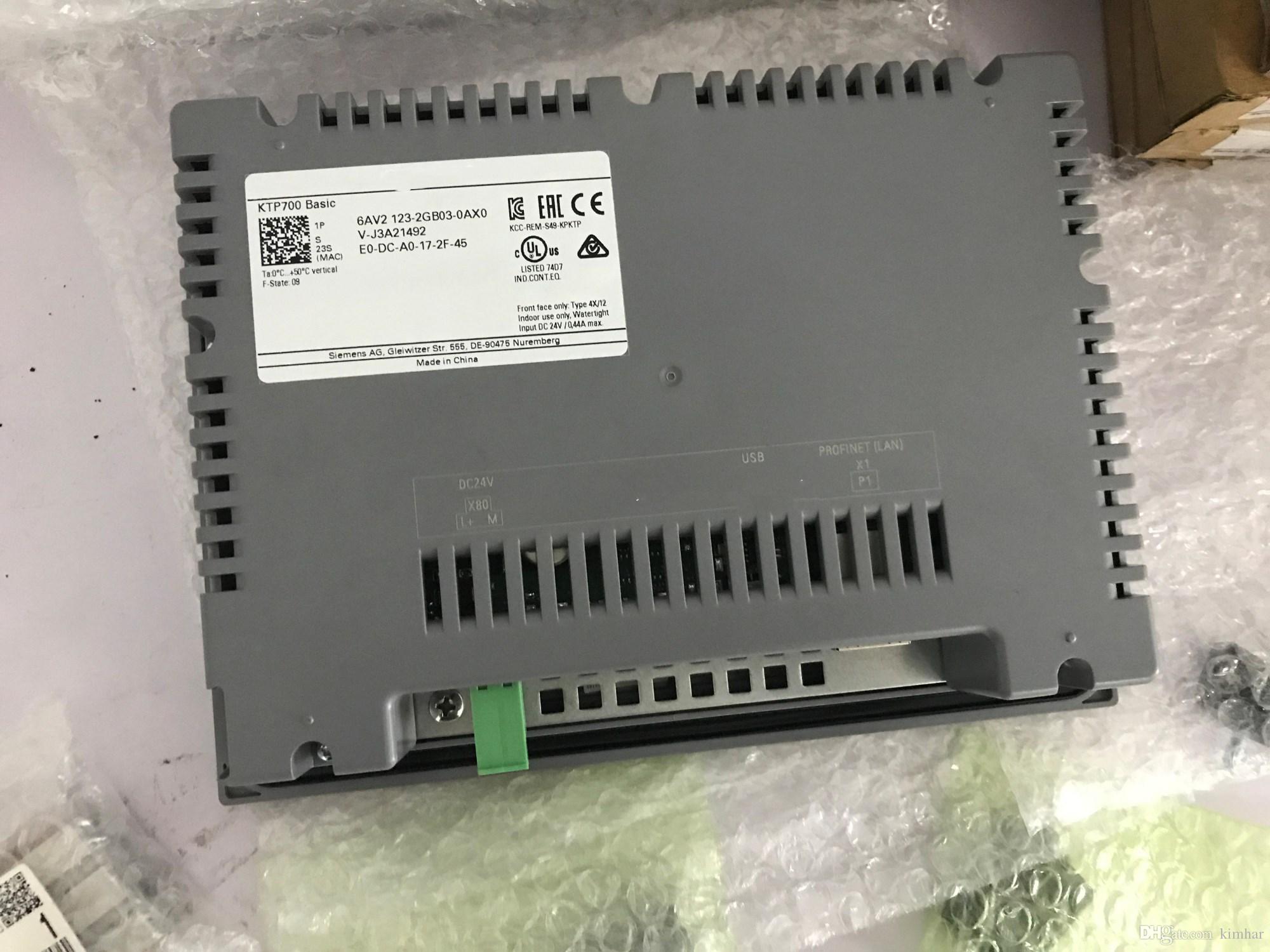
    Do you need a comprehensive guide on the Siemens 6AV2123-2GB03-0AX0? You’ve come to the right place! In this blog post, we will discuss the specs and features of this product. We will also provide an overview of its capabilities and help you decide if it is the right choice for your needs. So, whether you are just starting out in the world of automation or you are looking for an upgrade, read on for all the information you need about the Siemens 6AV2123-2GB03-0AX0 Price!

    What is the 6AV2123-2GB03-0AX0?

    The 6AV21231GB030AX0 is a 6-inch SIMATIC HMI KTP400 Basic color PN/DP. The 6AV21232GB030AXO has four MB in the internal memory of which two MB are used for user data and one.84 MB are reserved as working memory. It also has 6MB of application memory that can be expanded through microSD card slots.

    It has a 6-inch TFT display with 64K colors and a resolution of 640 x 480 pixels. The 6AV21232GB030AX0 uses an ARM-based Cortex A85F CPU processor and runs on Windows CE 6.0 as its operating system (OS). It is also certified for use with hazardous areas.

    The 6AV21231GB030AX0 has a variety of features that make it an ideal HMI solution, including its wide range of communication options, its intuitive and easy-to-use operator interface, and its compatibility with safety systems.

    Advantages of using the 6AV2123-2GB03-0AX0

    Comfort Panel

    The Siemens SIMATIC HMI Comfort Panel is designed to withstand harsh environments and conditions while ensuring a high level of operator comfort. The Comfort Panel has a large, clear display with intuitive menus that make it easy to use, even for operators who are not familiar with HMIs.

    The Comfort Panel also features an ergonomic design, making it easy to grip and operate. Plus, the buttons are clearly labeled and easy to press, even when wearing gloves.

    The Comfort Panel is available in three different sizes, so you can choose the one that best meets your needs. It also comes with a variety of mounting options, including wall mount, panel mount, and rack mount.

    High-Performance Processor

    The Siemens SIMATIC HMI Comfort Panel features a high-performance processor that can handle multiple tasks with ease.

    The Comfort Panel is equipped with a quad-core Intel Atom processor and 16GB of DDR RAM, which means it can run complex applications without lagging or freezing up. It also has an SD card slot for additional storage space if needed.

    Communication Options

    One of the best features of the Siemens SIMATIC HMI Comfort Panel is its communication options.

    The Comfort Panel can communicate over several different protocols, including Ethernet TCP/IP and USB. It also comes with a built-in web server that allows you to access the panel remotely via WiFi or other wireless networks. Finally, it supports various visualization software packages like WinCC Flexible and SIMATIC WinCC Open Architecture (SIMATIC HMI).

    The Comfort Panel is a great choice if you need an easy-to-use, user-friendly interface for your industrial controls system. It has many advantages over traditional HMIs, including the ability to be customized with various buttons, sliders, knobs, and other controls. Plus, it’s available in three different sizes to fit your specific needs. So if you’re looking for a high-quality HMI that is built to last, the Siemens SIMATIC HMI Comfort Panel is a perfect choice.

    How does 6AV2123-2GB03-0AX0 Work?

    The Siemens Simatic S-1200 modular controller family provides an open and scalable platform for decentralized automation tasks in the process industry. So, The Simatic S-1200 controllers are based on the latest microprocessor technology and have a wide range of functions that make them suitable for use in many industries.

    The Simatic S-1200 controllers provide three different performance classes for decentralized automation tasks: Basic, Standard, and Advanced. However, The Simatic S-1200 controllers are also available as Safety Integrated versions.

    The Simatic S-1200 controller family is divided into the following product lines:

    • Simatic S-1200 PN (process network): This product line includes controllers with a Profinet interface for process automation tasks based on the Profinet protocol.
    • Simatic S-1200 ES (Ethernet Switch): This product line includes controllers with an Ethernet switch and a Profinet interface for process automation tasks based on the Profinet protocol.
    • The Simatic S-1200 Basic, Standard, and Advanced product lines: These include controllers that are compatible with the Simatic S-1200 controllers with Ethernet interface.

    Read Next:

    Final Words

    Siemens has a comprehensive guide to the 6AV2123-2GB03-0AX0 for those who want more information visit this website. The best way to learn about this product is by reading through our blog post and downloading the pdf file that accompanies it.

  • 5 Steam Games That Will Make You Overspend

    5 Steam Games That Will Make You Overspend

    Steam games are a great source of entertainment and can also be quite addictive. So, Steam is the largest digital distribution platform for PC, Mac, and Linux games with millions of titles to choose from.

    However, Steam has created an environment where gamers can buy, download, play and share their favorite games without ever leaving their home. But Steam is not free; it’s actually quite expensive to play Steam games! Here are 5 Steam Keys Games That Will Make You Overspend:

    ● League of Legends
    ● Dota 2
    ● Counter-Strike: Global Offensive
    ● World of Warcraft
    ● Skyrim

    Therefore, Steam games are a great source of entertainment and can also be quite addictive. Steam is the largest digital distribution platform for PC, Mac, and Linux games with millions of titles to choose from. Steam has created an environment where gamers can buy, download, play, and share their favorite games.

    What is Steam Games?

    Steam Games are downloaded games that are ready to play. So, Steam is an online platform where Steam users can buy, download, and update games for PC or Mac. However, Steam also allows you to connect with friends through chat functionalities and share screenshots of your favorite games on social media platforms like Facebook and Twitter!

    ● Steam offers a large library of Steam Games
    ● Steam is an online platform where Steam users can buy, download and update games for PC or Mac
    ● And Steam also allows you to connect with friends through chat functionalities and share screenshots of your favorite games on social media platforms like Facebook and Twitter.

    1. League of Legends

    League of Legends is a Steam game that you can download for free on Steam! If your computer meets the minimum requirements, then give it a try and see what all the hype is about! It has been on Steam since 2009 and currently has over 90 million players worldwide.

    League of Legends was created by developer Riot Games and is a five-player online battle arena game. The objective of the game is to destroy the enemy’s base, called the “Nexus”. Players can choose from over 120 champions to play as, each with unique abilities and strategies.

    2. Dota 2

    Dota 2 is one of the most popular Steam games. Millions of people play it every day, and the game has a very active community.

    Data is a unique game because it’s so complex. There are so many different heroes to choose from, and each one has its own set of abilities. This makes the game incredibly challenging, but also really fun.

    The goal of the game is to destroy the other team’s base. This can be done by either attacking the buildings directly or killing the players on the other team.

    3. Counter-Strike: Global Offensive

    Counter-Strike: Global Offensive, commonly referred to as CSGO, is one of the most popular Steam games. It’s a first-person shooter game that pits teams of terrorists and counter-terrorists against each other in a variety of scenarios.

    The object of the game is to either kill all the members of the opposing team or complete the objective of the map. In order to do this, teams need a combination of teamwork and strategy as well as skill with rifles, pistols, grenades, etc., in order to make it out alive or kill their opponents.

    4. World of Warcraft

    World of Warcraft is a popular MMORPG (Massively Multiplayer Online Role-playing Game) that is based on the Warcraft series of strategy games. It was first released in 2004 and has since had several expansions released for it, with the most recent being Legion which came out in 2016.

    The game is set in a high fantasy world where players take control of one of many races, including humans, orcs, and elves. They can then choose which of the game’s two factions to join the Horde or the Alliance.

    This is a Steam game that is still popular even today with new expansions coming out. It was first released in 2004 by Blizzard Entertainment but has since had several expansion packs come out for it up until the latest being Legion in 2016.

    The game is set in a high fantasy world where players take control of one of many races, including humans, orcs, and elves.

    5. Skyrim

    Skyrim Steam Key Steam games. So, Skyrim is one of the most famous and popular video games in history, with more than 20 million copies sold worldwide and many awards won (including Game Of The Year).

    It has already been tried out for PlayStation, Xbox 360 but if you have a computer or laptop-compatible Steam this version could be perfect for you.

    The Steam version offers a number of advantages: firstly, it is possible to play with others online; secondly, there are more graphic options and finally, the game has been updated with new content (including items, weapons, and quests) that were not available in the original release.

    How to download and install Steam?

    Steam is a digital distribution platform developed by Valve Corporation for purchasing and playing video games. However, Steam offers digital rights management (DRM), matchmaking servers, video streaming, and social networking services. Therefore, Steam provides the user with installation and automatic updates of games so long as they continue to subscribe to Steam’s service.

    Steam was first released in 2003 as a way for Valve to provide automatic updates to its first-party games, but Steam quickly opened up with third-party support in the form of “Steam Greenlight” and eventually Steam Workshop.

    Can I play Steam for free?

    Yes, you can play Steam games for free by utilizing the Steam library. The Steam library is a collection of games that you can access and play without needing to purchase them. This makes it easy to try out new games or revisit old favorites.

    You can also use the Steam library to keep track of your progress in games and compare your achievements and stay connected with Hippo Adviser for the latest gaming stuff reviews, guides, and deals.

    Read Next:

    Wrapping It Up

    At the end of this blog post, we’ve compiled a list of the 5 best games that are available on Steam. If you want to know what we think is worth playing, look no further than this guide!

    Again if you have any questions about 5 Steam Games That Will Make You Overspend, make sure to ask me in the comment section.

  • Enhancing Your Home with a Robotic Pool Skimmer

    Enhancing Your Home with a Robotic Pool Skimmer

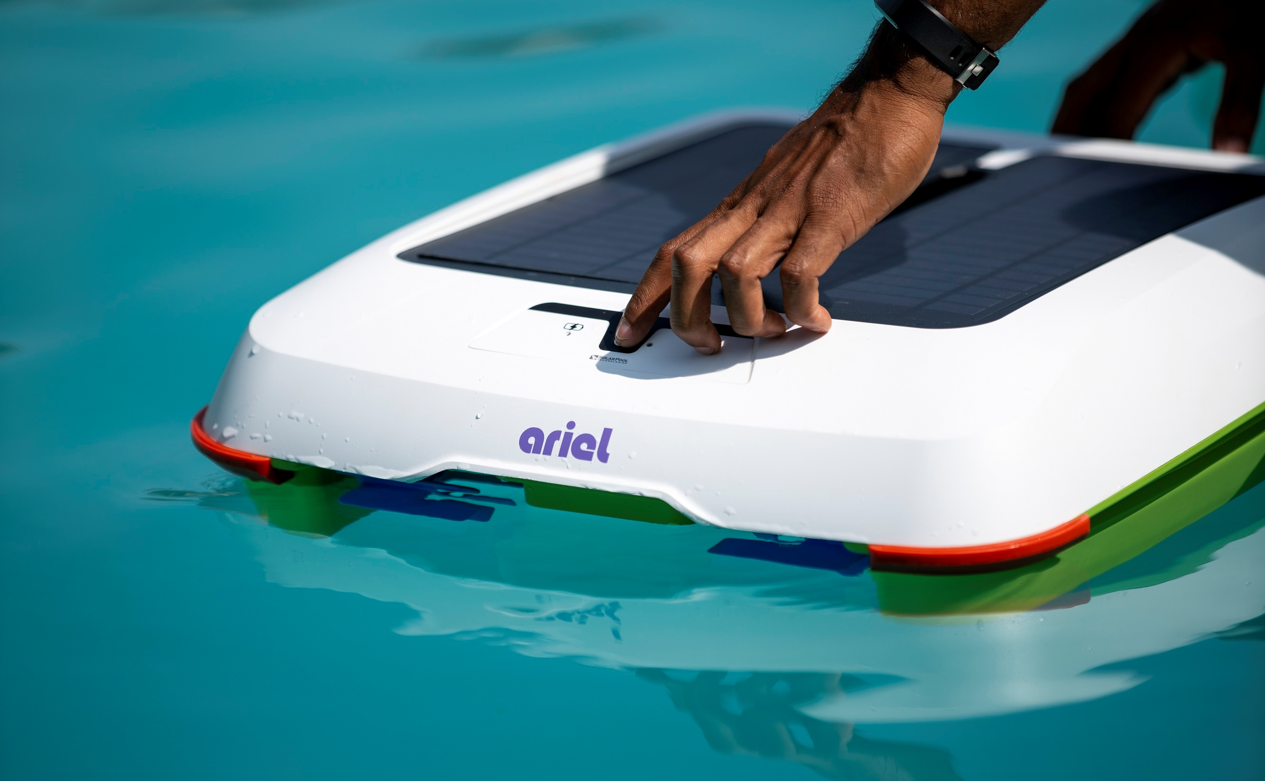
    Operating a home in 2021 is no simple task, as there is a myriad of elements you need to be aware of in order to have the most efficiently run house. Top products certainly help to ensure a more effectively run house, and in today’s market, there is a multitude of different household items you can purchase. If you have a pool, there are even more tools you can invest in, and one of the most important of these is a robotic pool skimmer.

    Robotic pool skimmers are widely utilized for their advanced abilities to make pools cleaner and do so with greater efficiency and energy consumption. Top robotic skimmers can even utilize solar energy to operate. Making them more effective and environmentally friendly than any other type of product on the market.

    When investing in a robotic pool skimmer for your home’s pool. It is imperative to learn about the various facets that make up its immense capabilities. Understanding the multitude of advantages that this type of pool skimmer can bring to your home and life will prove to be imperative and learning how to utilize it effectively will be critical.

    Below are all the detail about enhancing your home with a Robotic Pool Skimmer.

    Purchasing with the Environment in Mind

    One of the most widely cited reasons that people invest in robotic pool skimmers is that they can help to decrease your carbon footprint and can reduce energy bills. Renewable energy has become increasingly important in recent years, and in 2021, it is more important than ever to ensure that the products you utilize have a diminished carbon footprint.

    When you utilize a robotic pool skimmer for your pool. You may be worried that it will not be able to function without a sunny day; however, these advanced products have the ability to harness energy even on cloudy and overcast days. They are also completely wireless, as they have attached solar panels. Allowing you to get a more effectively cleaned pool that is not bogged down by pesky cords. 

    Using a Robotic Pool Skimmer in Your Pool

    Once you invest in this product, you will be diminishing your environmental impact. And you will also be able to have a cleaner and more enjoyable pool year-round. One of the most important benefits that your skimmer will come equipped with is smart sensor technologies. As these aid in detecting dirt and other types of waste all throughout your pool.

    Smart robotics technologies aid by diminishing the amount of waste in your pool. And can also operate in saltwater and chlorine pools. Perhaps the most imperative benefit is that you can utilize this pool skimmer in all climates. As it has the capability to operate in water temperatures as low as 40°F and as high as 130°. By investing in this product, you will experience a variety of benefits for your pool and the environment.

    Read Next:

    Final Thoughts

    When building up your home, it is imperative to invest in top-quality products like a robotic pool skimmer. Learning about this for your home will prove to be a critical investment that improves your daily life. So, I hope you get everything about enhancing your home with a Robotic Pool Skimmer.

  • Pros And Cons Of Making A Video CV

    Pros And Cons Of Making A Video CV

    Job seekers are well aware that the first step in being recruited is to create the most acceptable resume possible for the post. The first thing that recruiters look at is our resumes. You have little chance of getting in if they ignore your resume.

    While creating a professional-looking, three-page resume may be the best method to land that dream job; you should keep in mind that it is ultimately up to you, the position you are applying for, and the firm you intend to work for. These long, formal-looking resumes might sometimes fall to the bottom of the pile, while the more imaginative ones stand out. The key is to be relevant to the organization for which you are applying.

    The majority of people send their resumes in paper copy. Resumes are typically submitted online by freelancers. Sometimes it’s in PDF format, and other times it’s in JPEG format. There is a new type of CV on the market these days: the video resume. It’s intriguing to submit a video CV, and if you’re thinking about it, read up on the benefits and drawbacks of doing so first:

    Pros of Making a Video CV

    1: Exhibit your full personality

    The finest and most evident advantage of a video resume is that it captures a fuller picture of your personality.

    Traditional text-based resumes have never been able to demonstrate soft skills or in-person interactions.

    It’s common knowledge that nonverbal communication includes gestures, voice tone, eye contact, and facial emotions. Some sources claim the ratio is as high as 93%, while others are less enthusiastic.

    Only the video resume reveals these non-verbal characteristics; writing ‘I have a suitably professional grin’ under the Skills part of a text-based resume would be embarrassing. As a result, video resumes can be an excellent method to improve your career prospects in professions that require both verbal and nonverbal communication abilities, such as sales, marketing, HR, and media and public relations.

    Even if you don’t work in these fields, communicating well is a huge plus in any job, so a video CV can help you stand out.

    There’s also one underappreciated personality quality that shows up the moment you hit Send with a video CV attached: simply filming and delivering one to a Hiring Manager demonstrates your courage and initiative.

    Video resumes are still relatively new, and there are always hazards associated with using them.

    2: Showcase your Video Editing Skills

    Video resumes, for example, demonstrate essential skills in the function of cinematographer or videographer. Of course, since you’ve undoubtedly had to submit a video CV for every job application, you’ve already accumulated a plethora of knowledge and won’t need to read this post.

    As video and social media grow more vital to the rest of us, more sectors are beginning to need video editing expertise. Your video CV might demonstrate that you’re skilled at establishing onscreen rapport with an audience by favorably photographing human people.

    Of course, if you haven’t had much experience with the video editing in your career, getting started can be intimidating. Fortunately, this means that others in your industry are probably in the same boat as you.

    If you’re a beginner, all you have to do is keep it basic with your video CV. Learn how to include a background into your video and concentrate on the most critical aspects of your performance: your presentation abilities, tone of voice, and smile.

    3: An Innovative way to showcase your competitive advantage

    Traditional text resumes are no longer as competitive as they once were, especially in 2020, when anyone may use fancy templates and resume services to improve their job search chances.

    As a result, the video resume is one of the most acceptable ways to set yourself apart from the competition. Only 17% of hiring managers have viewed a video résumé previously, as stated at the outset of this post. This indicates that people are open to this new medium without being taken aback by it.

    In today’s competitive job market, the first-mover advantage is quite real, and you may identify yourself as a top applicant by taking new paths.

    Cons of Making a Video CV

    1: Exhaustive information cannot be provided

    Most mid-level job applicants’ resumes are between 800 and 1,200 words long, whereas executives’ resumes are between 1,200 and 1,600 words long. Despite its youth, the video resume has become a norm in the industry: two to three minutes.

    The average person can only speak 125 to 150 words per minute comfortably. It’s not a good idea to try to increase this rate. Because you’ll lose the valuable benefit of displaying your personality in a video resume in favor of an ill-advised attempt to exhibit how fast you can talk.

    Plus, unlike text-based resumes, video resumes lack the structure and rhythm that recruiters readily recognize. A standard resume includes a professional overview, complete job history, skills section, education and qualifications, and supplementary areas like references and awards.

    These other components are generally overlooked because the video resume only has time to focus on your introduction (the professional summary in the text resume). It’s challenging to justify utilizing video resumes as complete replacements because they contain less information.

    Unfortunately, the video resumption is also plagued by another issue. Even though it has less material, the video resume requires more time from your recruiter. Within 30 seconds — some estimate six seconds — a text resume can be examined and essential information extracted. In contrast, a video résumé takes two to three minutes to watch unless the Hiring Manager goes through after a glance.

    2: Your Writing Skills are not displayed

    Although video resumes demonstrate your brain’s visual thinking. They don’t offer much to demonstrate your written communication skills to hiring managers.

    Interestingly, even though we’re reading fewer books and having lower grammar and spelling standards, writing skills were more crucial than ever in 2020.

    As a result, writing has become one of the few universal hard talents for job seekers: everyone needs it.

    You don’t have to be JK Rowling but think about the last time you wrote an email, a report, a message, or a short piece for your firm. You almost certainly needed to write something today. Spelling, grammar, and general writing skills have never been more crucial in the modern workplace. Other essential aspects of writing, such as clarity, conciseness, and tone, are getting more attention than ever.

    The typical text resume emphasizes these written communication skills and demonstrates how well your writing can persuade and convince others. Whether you submit a video CV as part of your job application. The Hiring Manager might wonder if you’re trying to cover a lack of writing skills.

    3: Informal

    It’s still casual. While video resumes might be striking, they can sometimes come across as sloppy. After all, some businesses prefer to hire people in an old-fashioned manner.

    So there you have it, folks. Those were the pros and cons of making a video CV.