Category: Android

  • Top 5 Best Camera Apps For Android In 2020

    Top 5 Best Camera Apps For Android In 2020

    In this article, I am going to tell you about Top 5 Best Camera Apps For Android In 2020. these apps are handy and free to download, and in here you will know about each camera apps although they are the best. Photo editor is truly great tool for enhancing and transforming images into stunning works of art. There are many options to use but the one I am telling you is off the hook and in high demand. besides that, these apps can let you capture the best photos than the default camera. but due to legions of camera apps, you will be confused to use which one. so don’t worry here I created a list of top 5 best camera apps that can capture awesome photos.

    Why you need Camera Apps

    Nowadays, people are more inclined toward capturing moments on their phone cameras. while with the help of these pictures, we can relive that particular moment again and that’s why companies are launching smartphones with better cameras that fall under the high-end category. so, an affordable way to take impressive pictures is by using the Android camera apps. if you are bored from using your default smartphone cameras, here is the list of top 5 best camera apps for Android in 2019 that are available in google play store for downloading.

    Top 5 Best Camera Apps For Android In 2020

    Down below is the list of Top 5 Best Camera Apps For Android In 2020. these apps are easy to use and it has many cool features that you will love it. read it carefully from top to toe to not face any kind of problems. but again if you get any kind of confusion then feel free to ask me.

    1. Proshot Camera Apps
    proshot
    Proshot Camera App

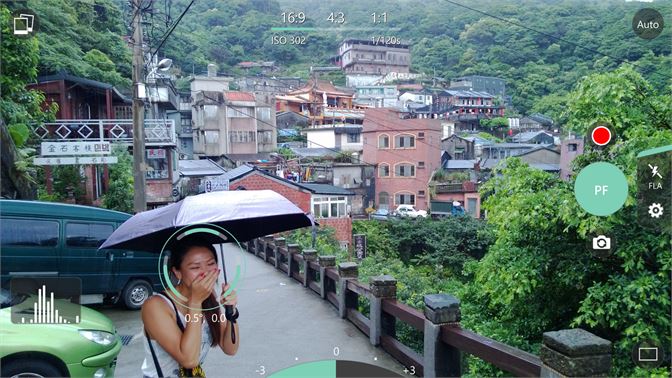
    The ProShot is a paid app that comes with a price tag of $3.99 at the Google Play Store. this camera app has gained its popularity by being a standout application on the windows there is no denying the fact that this app is fully-packed with excellent features that make it worthy of its price. 

    Other than that, you can also make changes to the jpeg compression level, aspect ratios, time short to create your masterpiece. in short, the ProShot camera app offers a lot of reasonable amounts and is great with its DSLR-inspired design, everything seems within reach with ProShot.

    Download ProShot Camera App

    2. Footej Camera

    footej camera app
    Footej Camera App

    This app is new in google play store and it has a good mix of mainstream serious photography features. it uses Android’s camera2 API. with this camera, you can make a short video, make GIFs, a photo histogram, and burst mode.it also support the RAW format as long as your device does. you can try it out for free or pay $2.99 for the pro version. it’s quite excellent without too many serious bugs.

    Download Footej Camera App

    3. Candy Camera App

    candy camera app
    Candy Camera App

    This app is the best and easy to use camera app. this one is one of the best cameras for android in 2020, with this camera you can take beautiful photos. it has millions of active users and downloads, you can download it from google play store or simply download it from the link below.

    Download Candy Camera App

    I have used it for one year and I find it the best camera among all the cameras. it has cool features and you can easily use them. and besides that, it has filters for selfies, beauty functions, stickers, silent camera, and many other features.

    4. Youcam Perfect camera App
    youcam perfect
    Youcam Perfect camera App

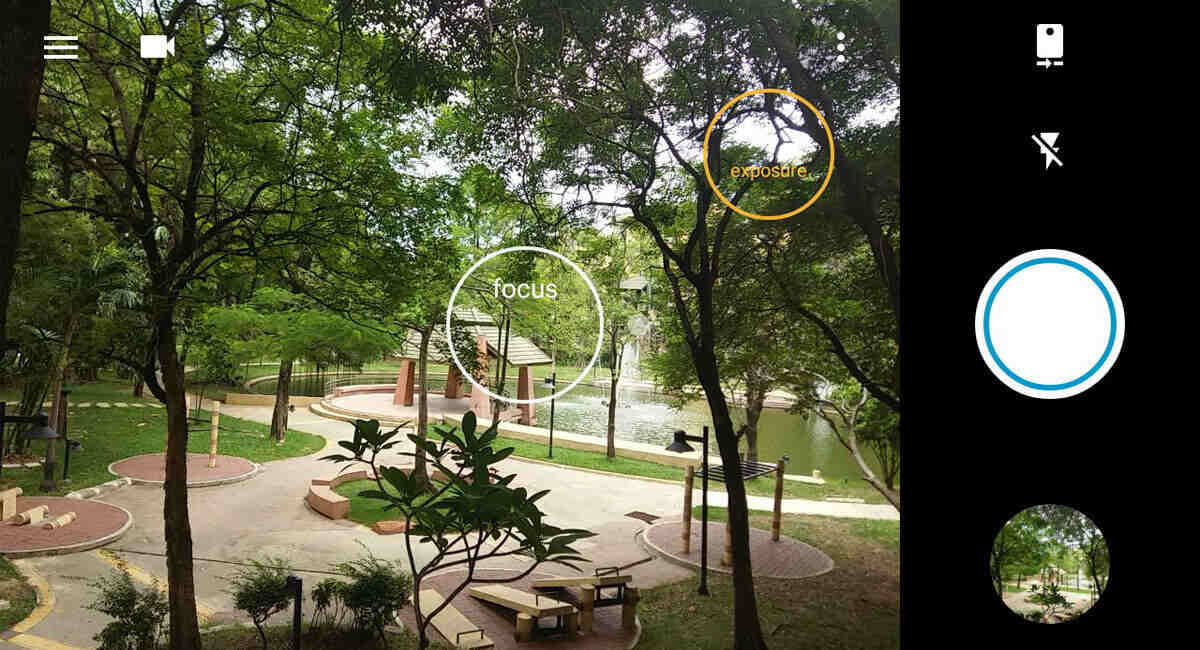
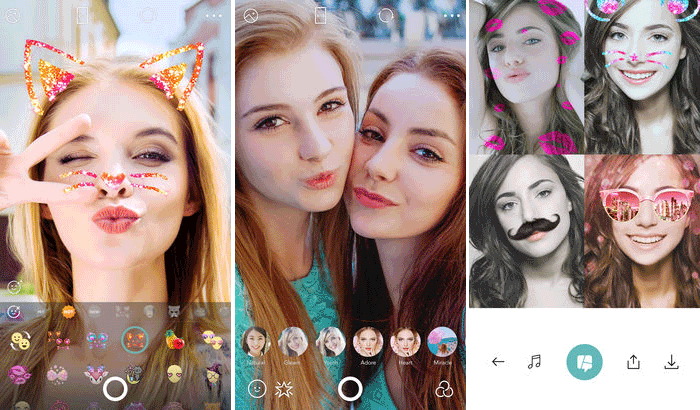
    As you know there are many camera apps but Youcam perfect is the most useful and powerful camera. you can take beautiful pictures with Youcam perfect and you can edit your photos with edition toolkit. besides that, you can use Real-Time Skin Beautifying Effects in Beauty Camera & Video Selfies, not only this much although you can Stylize & Share Pics with Friends. so you can download it from google play store or click the link below to download.

    Download Youcam Perfect Camera App 

    5. Manual Camera
    manual camera
    Manual Camera

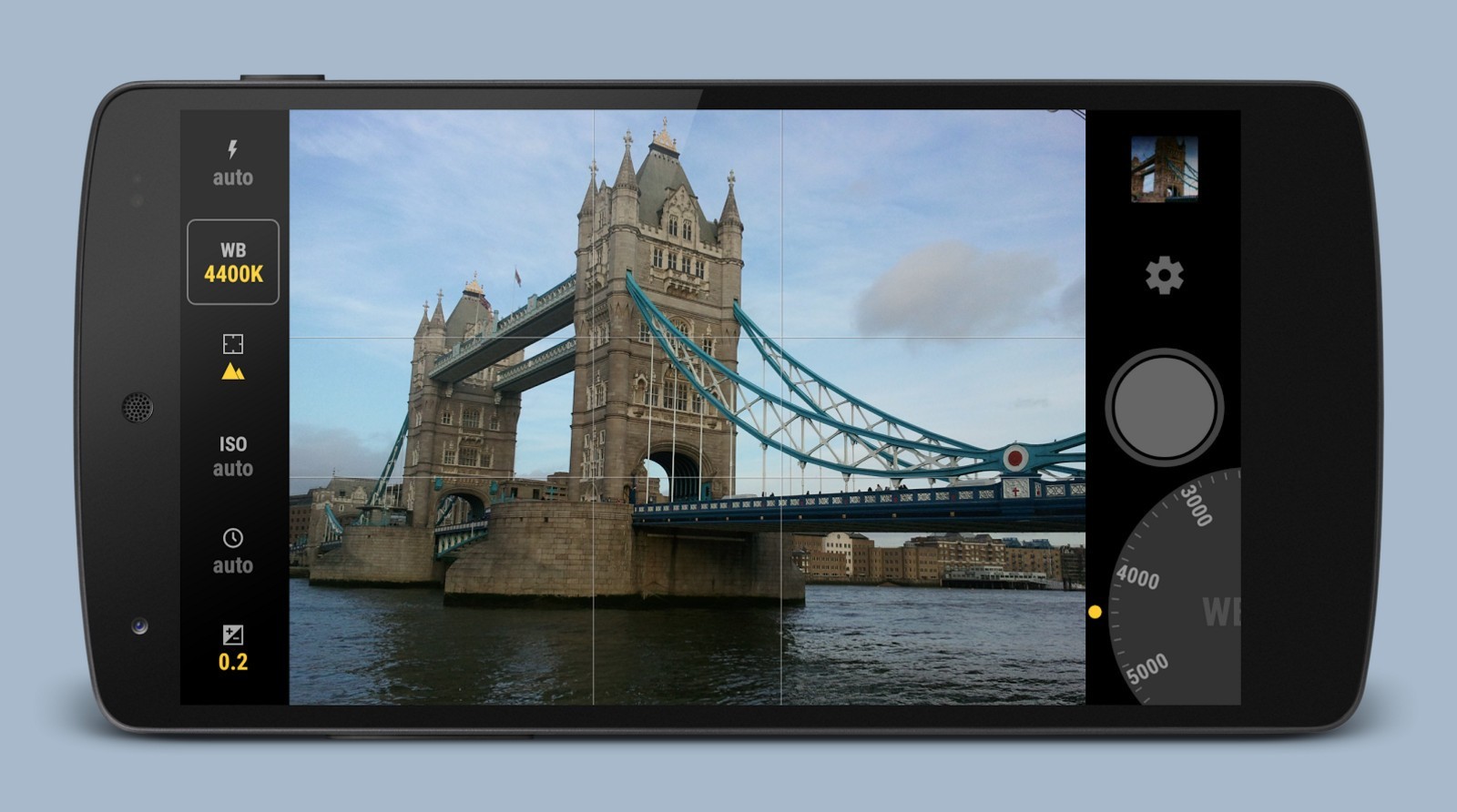
    This app is the world’s first Android camera app with FULL Manual Control, the manual camera app is second to none among others and you can use it easily. besides that, you can take all the control in your hands and not only this much even you can customize its settings. this app is the most powerful and popular app in the google play store market, so start downloading now from the link below or download it from google play store.

    Download Manual Camera App

    Read Next:

    In conclusion

    In this article, you have learned about the top 5 best camera apps for android in 2020. I hope you got everything and find your answer from this article. in addition to, daily visit my site for the latest post and if you have any questions then feel free to leave comments.

  • Increase Internal Storage upto 256 GB With Best Method

    Increase Internal Storage upto 256 GB With Best Method

    In this article, I am going to tell you about Increase Your Mobile Storage With Best Method. many websites let you know about how to increase your mobile storage and you will get many results but none of them will work for you. but today the method which I am gonna tell you is the best method ever. the only thing you need is to follow my footstep and certainly, it will work out.

    Lots of mobiles come with a very low internal storage which has given low memory notification after downloading some data or apps. if you have a low storage phone then you are in a good place. you can increase your mobile storage by following this method.

    Best Method to Increase Internal Storage

    here I will tell you about the best method to increase your internal storage and hands down it will work out in Android and IOS. remember there is not any kind of software or method which can increase your internal storage because when the company sets specific storage then no one can increase it with any kind of software. the only method you can do is here below that I am going to tell you.

    Method 1. Photo Compress

    the first method is about to compress your photos. I know everyone has lots of photos inside their mobile and that photo takes a lot of space. so the only way you have to compress it with Photo Compress App. what this software will do? it will compress your image size and the quality will remain the same.

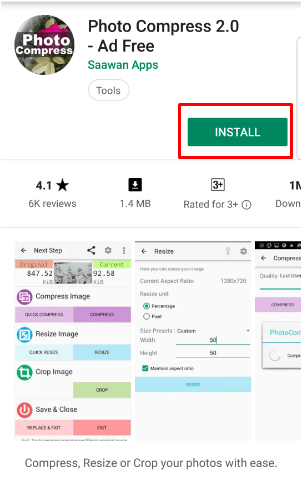
    Step 1. firstly install a photo compress app from the play store.

    photo compress app
    Photo Compress App

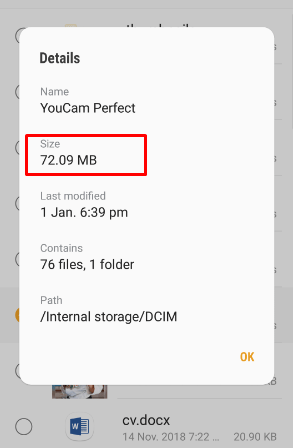
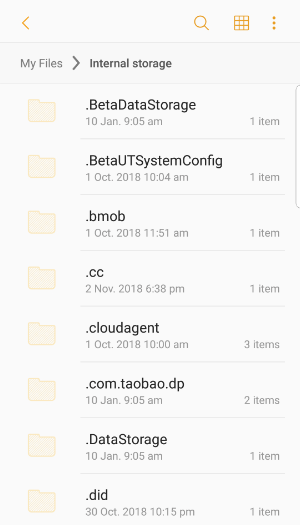
    Step 2. In the second step, you need to go to the File menu and inside the file menu choose any image folder that you want to compress it. here I selected one folder which its size is about 72.9 MB.

    photo folder
    Photo folder

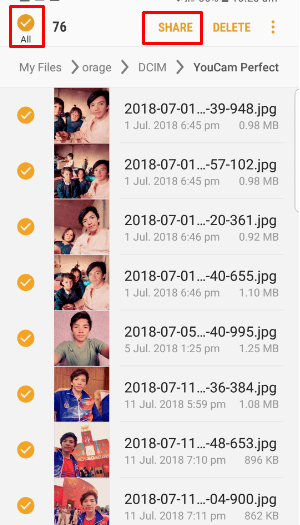
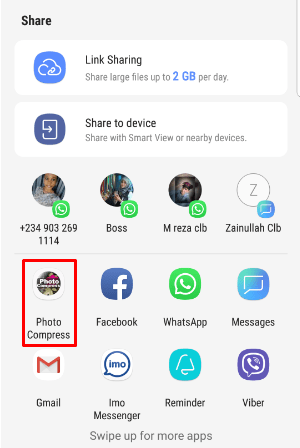
    Step 3. after that select all the images and share them with photo compress. to compress all the selected images.

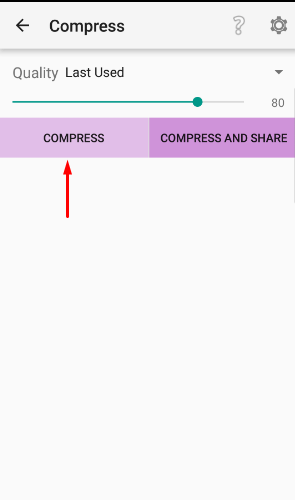
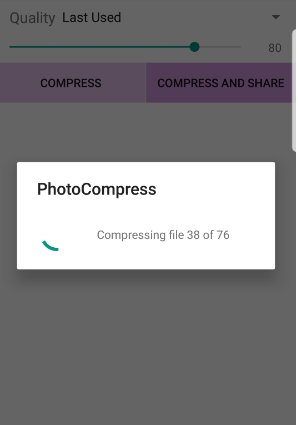
    Step 4. then select the image quality after that click on the compress button to start compressing the file.

    Step 5. at the last delete the original folder, don’t worry your compressed file is inside the photo compress folder. go and check it there you will find out your file.

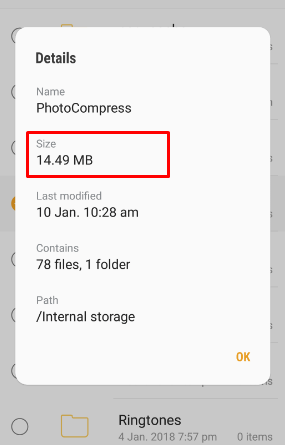
    so here the compressed file size is finally 14.49 MB. which increases your internal storage.

    compressed file
    Compressed File

    Read Next:

    Method 2. Video Compress

    One best method to increase your internal storage is to compress video, you know video takes too much space that you will face low memory notification. the thing you need to do is compress your all videos to increase internal storage.

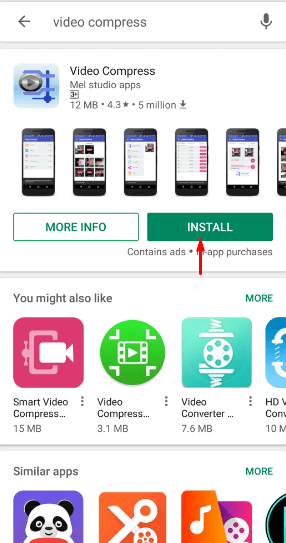
    Step 1. go to play store and install Video Compress App.

    video compress app
    Video Compress App

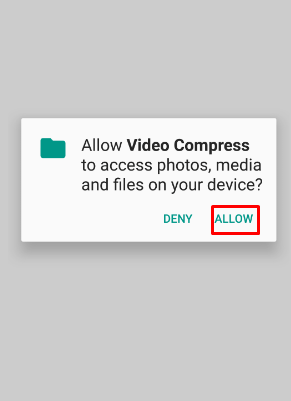
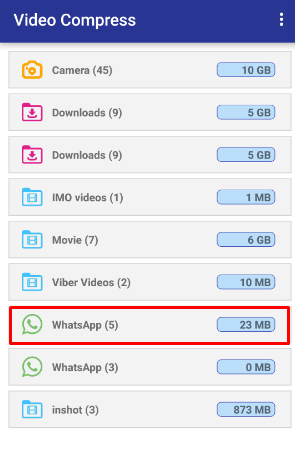
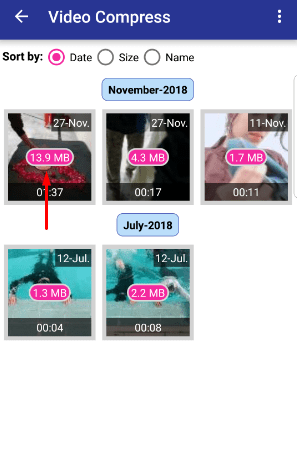
    Step 2. Open the app and allow video compress to access on your device. then select any folder that you want to compress video, after that select any video to compress.

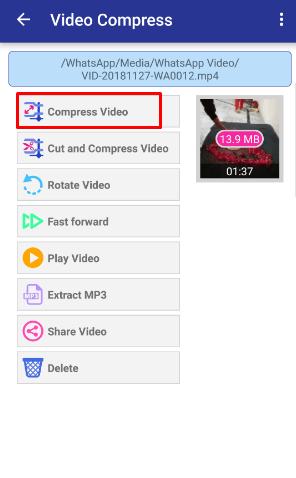
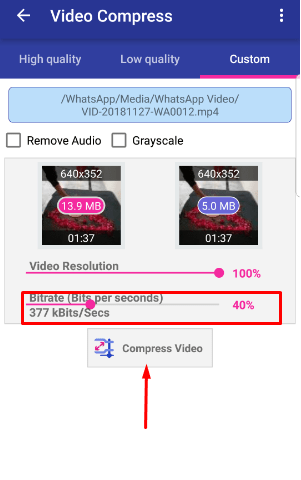
    Step 3. click on compress video to start compressing.

    compress video
    Compress selected video

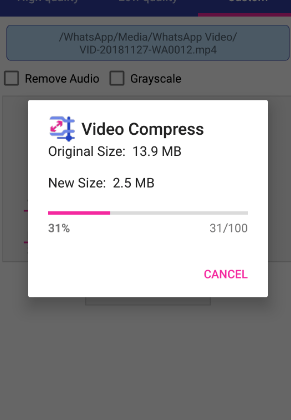
    Step 4. Bitrate video quality and press compress video to start compressing video. you can see the original size and the compressed size.

    Method 3. Delete Unwanted File

    One of the best methods is to uninstall unwanted files I mean delete those files the one you are not using. like games, Applications, and many more. because these files are taking so much space on your mobile. and it will slow the speed of your memory and mobile. so start uninstalling from now to increase your internal storage.

    delete file
    Delete Unwanted File

    Note

    remember there is not any kind of software that helps you to increase your internal storage. because if the company sets specific storage on your device so it means that you should install and uninstall unwanted files when time goes by. to top it off don’t waste your time on scam articles and websites because in reality there is not any kind of software that can increase your internal storage.

    Read Next:

    In conclusion

    I have told you about the best method to increase your internal storage. these methods are second to none and surely it will solve your problems. just believe in my methodology and you will be successful. besides that daily visit my website for the latest Article.

  • Best Facebook Video Downloader for Android, IOS and PC

    Best Facebook Video Downloader for Android, IOS and PC

    In this article, I will tell you about the Best Facebook Video Downloader for Android, IOS, and PC. many articles and websites are telling you about Facebook video downloaders although they are somehow working there methods. but today the method I am going to write about is the best method ever, you can easily get what I am letting you know about. and the things you are looking for is entirely this article. it will help you to download videos from Facebook.

    Everyone wants to use Facebook and watch the video on Facebook. and the time when they want to download it for themselves but they can’t do it because Facebook doesn’t have those features. like if you used youtube so on youtube it’s so simple to download video because it gives the download option. but Facebook is not like youtube so don’t worry this article will help you and show you how you can easily download video from Facebook either in Android, IOS, and PC.

    Facebook Video Downloader Apps for Android

    Nowadays people are using Facebook in android often than PC. because in Android once you log in your account in FB apps then there is no need to login for a second time. and people are getting into FB android apps. as you know in 21st-century android users are quite a few than PC users that’s why FB is in high demand in android.

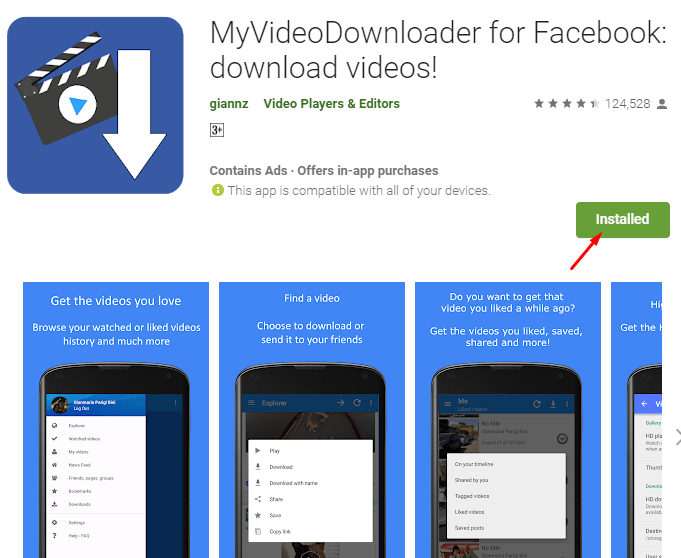
    The best method and Facebook video downloader are called MyVideoDownloader for Facebook. this app is so handy and in high demand. you can easily download Facebook video with this app. here you will get how to install this app from play store and how to download video with this app.

    How to Install MyVideoDownloader For Facebook in Android?

    It is so simple to install this app from the play store. in the first step go to your Android and open Play Store then search MyVideoDownloader For Facebook after you find out then click on it and click on the install button.

    Best Facebook video Downloader
    MyVideoDownloader For Facebook

    Learn About MyVideoDownloader For Facebook Apps

    Download Facebook videos and GIF – Save and share videos from Facebook with the most advanced video downloader, fast and easy to use!

    – The only app for Android that can download HD videos!
    – Send a video or GIF to your friends on WhatsApp or Telegram directly!
    – Get your watched, liked, saved videos, and much more!
    – Find you liked, saved GIF, and much more!
    – Find and download any video by browsing directly the Facebook website
    – Download shared videos of your friends 
    – Download videos from your news feed, groups or pages 

    This is the former MyVideoDownloader app

    Would you like to help to translate the app into your language? Join us at https://giannz.oneskyapp.com

    Download not working?
    Be sure to have granted write permissions: system Settings -> Applications -> VideoDownloader -> Permissions

    This app doesn’t collect nor transmit any of your data.

    This app is not endorsed, supported or certified by Facebook and it is provided by a third party that does not relate to Facebook.

    How to Download Video from MyVideoDownloader for Facebook Apps?

    In this paragraph, you will learn how to download videos from MyVideoDownloader for Facebook apps. it is so simple and easy, you don’t need to search for it on google and youtube because here you will get the method of how to do.

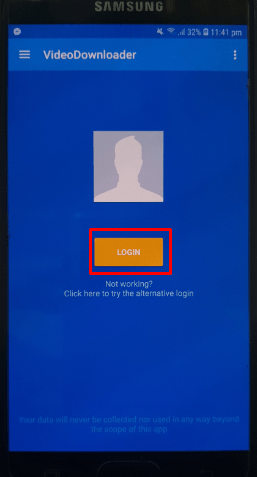
    Step 1. open apps from your Android and log in with your Facebook account. don’t worry your Facebook Account will be secure.

    Best Facebook Video Downloader
    MyVideoDownloader Apps log in Page

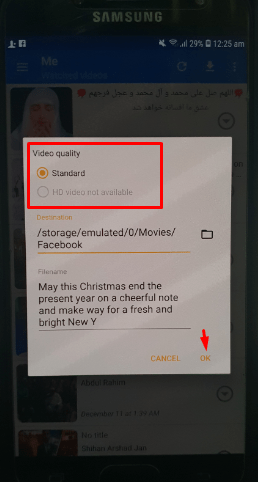
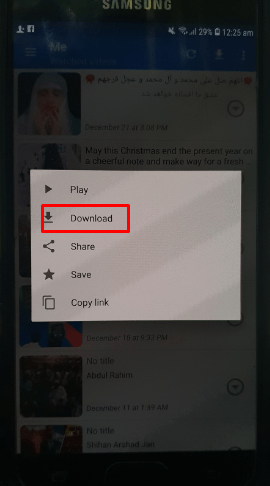
    Step 2. find any kind of video from your timeline or from your friend timeline. then play the video and after some minute stop the video, after that tab on the video then you will see a popup menu that there is written Download. so click on the download button and it will download the video in HD. besides that you can set your downloading quality in HD from the setting, it will download a video in HD even the video is not in HD but again it downloads it in high quality.

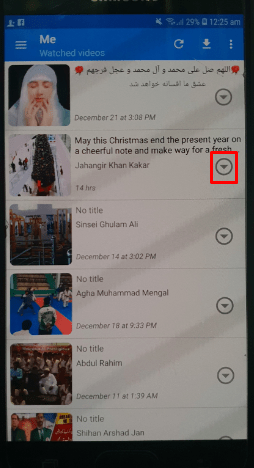
    the next method is going to your watched video, likes video or saved video from menu bars and click on the download icon to download that video.

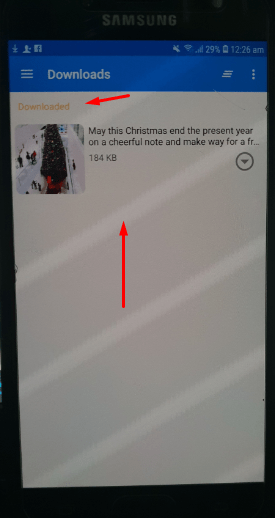
    Step 3. if you are determined that your video is downloading or no then go to the Download menu and you will see your download file.

    Best Facebook Video Downloader
    Downloaded Video

    this was all about an Android phone. and I hope you loved this method because these Apps are the most powerful and handy. once you give a shot these Apps then you become into it.

    Facebook Video Downloader Apps for IOS

    You learned about Facebook video downloader Apps for Android. so now you will get about Facebook video downloader for IOS if you have iPhone Mobile and you have no idea how to download video from Facebook in iPhone then don’t switch to others website because this article is for you and the method I am going to write is so simple and interesting. that method is called Friendly for Facebook Apps.

    How to Install Friendly For Facebook Apps in IOS?

    Here you will know about how to install Friendly for Facebook Apps from App Store. you only need to follow in my footsteps.

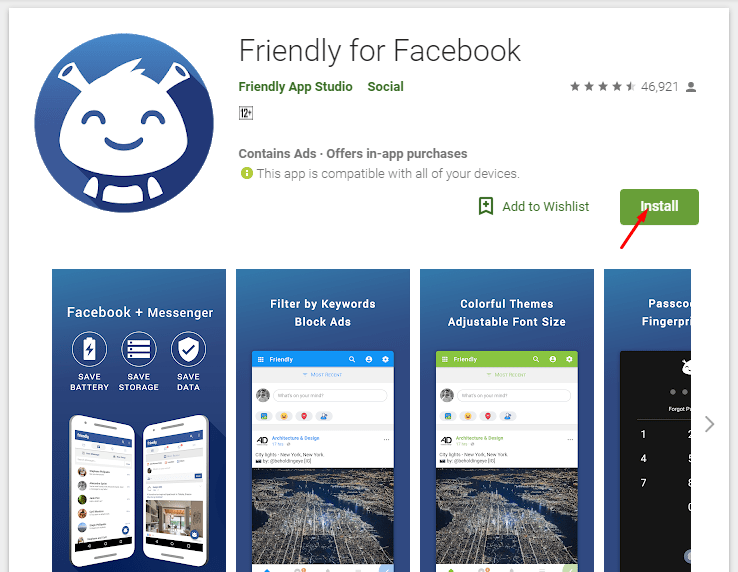
    Go to App Store and search for Friendly for FaceBook. after that open it and click on the install button.

    Best Facebook Video Downloader
    Friendly for Facebook Apps

    Learn About Friendly For Facebook Apps

    Friendly is the most complete alternative to your favorite social network
    Over 17 million mobile downloads!

    Built as an extension of the light mobile website, it preserves your battery, storage, and data, while giving you back control over your news feed.

    All in one app
    No need to download another app. You can chat and message your friends right within Friendly.

    Video Download
    Easily save your videos to share or watch them later.

    Customize your News Feed
    The brand spanking new Keyword Filtering feature for Android devices works in two ways: If you’re tired of seeing political posts, simply set your Keyword Filter to hide posts and articles containing the keywords “election,” “Republican,” or “Democrat”… and voilà: Any posts containing those words will not appear in your news feed.

    Conversely, if you want to see more posts featuring cats (or posts from a close friend), you can set a Keyword Filter to highlight topics and users. Why settle for Facebook’s less-than-ideal algorithm when you can take full news feed control with Friendly?

    Why You’ll Love Friendly?

    • Download your videos
    • Take control of your news feed with Keyword Filters.
    • Sort your news feed by most recent posts.
    • Block Ads
    • No need for another messenger app to message your friends
    • Secure your account with Fingerprint & Passcode Lock
    • Quickly switch between multiple social media accounts
    • Beautiful material themes

    How to Download Video from Friendly for Facebook Apps?

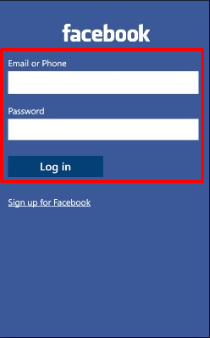
    Step 1. Open Apps and login to your Facebook account. remember don’t be Pinick your account is secure in Friendly for Facebook Apps.

    friendly for facebook login
    Login to your Account

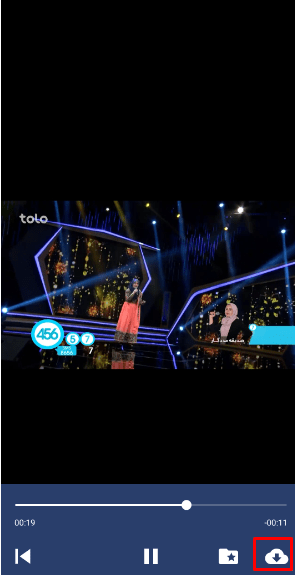
    Step 2. Go to your timeline and find out any video. play the video and click on the Download icon for downloading the video.

    Click On Downnload Icon
    Click On Download Icon

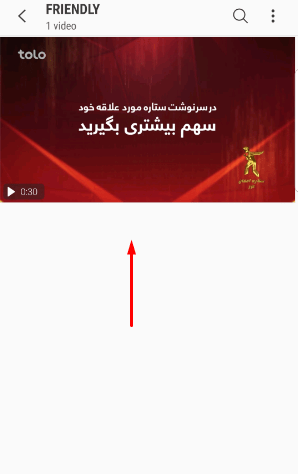
    Step 3. Go to your File or Gallery and find Friendly folder, inside this folder you will see your downloaded video.

    Downloaded video
    Downloaded video

    Finally, you learned how to download videos from Facebook in IOS completely. now let know about How to download video from Facebook in PC.

    Facebook Video Downloader for PC (Windows & Mac)

    It is so easy to download videos from Facebook on PC. even you don’t need to download and install any kind of software although you can do it without software. the things you only need are to have IDM (Internet Download Manager) on your PC. as you know IDM is off the hook software for downloading video, like if you take an example of youtube. you are downloading video from youtube through IDM so Facebook is in the same line with youtube. you can download videos from Facebook through IDM.

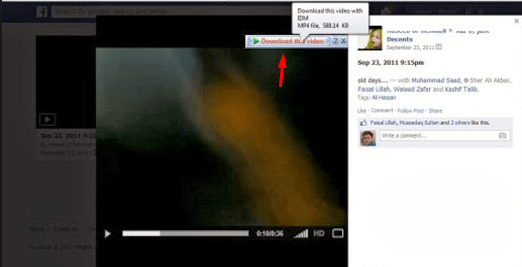
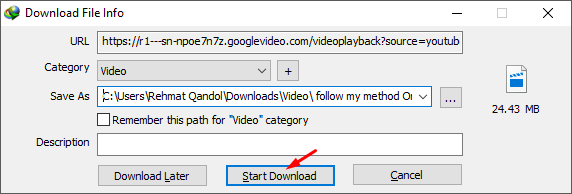
    Open your Facebook Account on the browser then after that find a video on your timeline. while you found video play it and you will see Download the Video option on the top right of the video. Click on the option, select the video quality and download your video.

    Download option

    internet download manager
    Download video with IDM

    Read Next:

    Conclusion

    In this article, you learned about how to download videos from Facebook with the best method and easy. if you are searching for this title then this article is for you. and if you have any kind of question then feel free to leave a comment.