What you will do if you forget your computer login password? though you have one PC and without reinstalling Windows operating system there is no option for you to reset the password. However, some researchers will say to enter the previous password multiple times and then click the forget password. Then, you can reset your login password. But, in my opinion, that method will not work.
So, now what can be the option to bypass the Windows 10 login password in an easy method without losing any data. I know, your files are much important for you and you never want to lose it. Therefore, in this article we have written the best solution to reset Windows 10/8/7 login password.
We will not use any third-party software or any reset software. Therefore, we will do it with the help of our Android phone. Yes! you can bypass Windows 10 login password using Android phone. The method is easy, only you will need to download and install disk reset application such as WPGenius or Refixer Apps.
With this android disk reset application, you can easily reset the password. As a result, you don’t need to visit any software house to reset the password or you don’t need to reinstall the Windows 10 operating system. So, pay attention to each line in order to not face problem during the process.
How to Bypass Windows 10 Password using Android Phone?
A single person is using an Android phone or iPhone even you can see people using phones everywhere. So, the Android phone is not only about using Facebook, playing games, or other tasks. But, you can do many things with your Android phone such as reset your computer password, install Windows OS, Kali Linux, or macOS in your android phone, or hack wifi password.
So, there are many things to be done with your Android phone. Therefore, use your Android phone in a positive way and solve your multiple problems.
Before going to bypass windows 10 login password using your Android phone. You need to prepare a few things that explain below.
Your Android Phone should be Rooted
Yes! to use the reset disk application and reset your computer password, you need to root your phone. The application requires a rooted phone. So, if your phone is not rooted then you can root it without a PC. Though you can root your phone using PC but why to not root without PC because you forget your login password and you can’t use your PC.
Download WPGenius Disk Reset App
Once you root your Android phone then you need to download the WPGenius application to reset the Windows 10 login password. Therefore, click the link and click the Download button to download the WPGenius for android version. Once the download is done then install the application in your android phone.
Prepare Android Phone to Bypass Windows 10 Password
Step1: Open the WPGenius application.
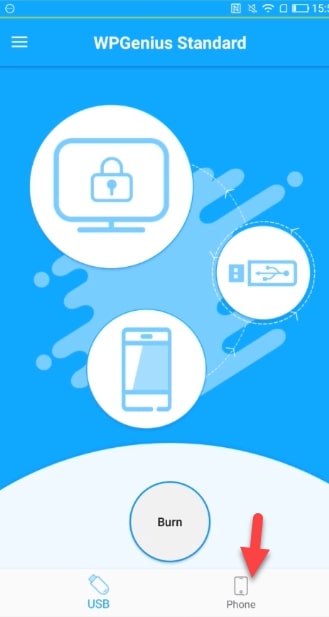
Step2: Now, click the Phone button because we are going to use our phone to reset the password.
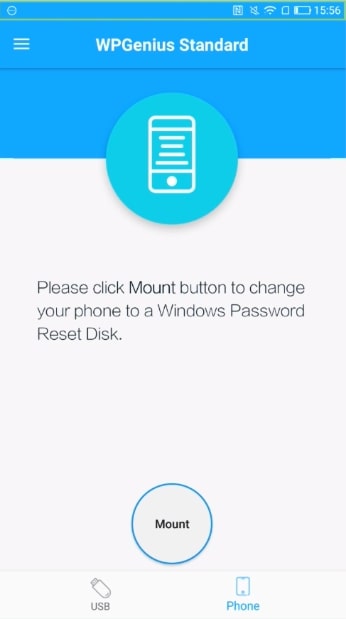
Step3: After that, click the Mount button to change your phone to a Windows password reset disk.
Step4: Now, connect your phone via USB cable to the computer you want to reset its password.
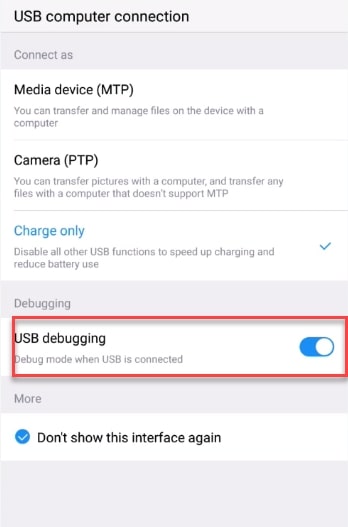
Step5: Once you connect your phone to the computer then make sure you have enabled USB Debugging from setting. Then, select Media device (MTP).
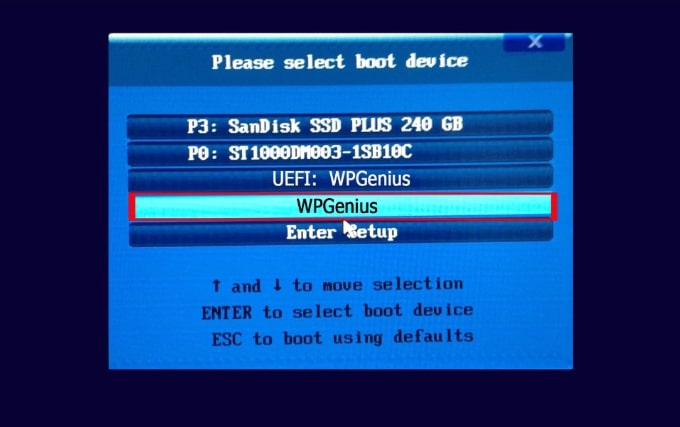
Step6: After that, restart your computer and press and hold F12 to see the boot menu screen.
Step7: Here, boot your computer from WPGenius, Therefore, click the WPGenius.
Step8: Now you will see iSunshare Windows password Genius Ultimate Interface. Here, select iSunshare option and click the Reset password. Once you click the reset password option, then, it will ask you “Do you want to set this user to blank”. So, click the Yes button.
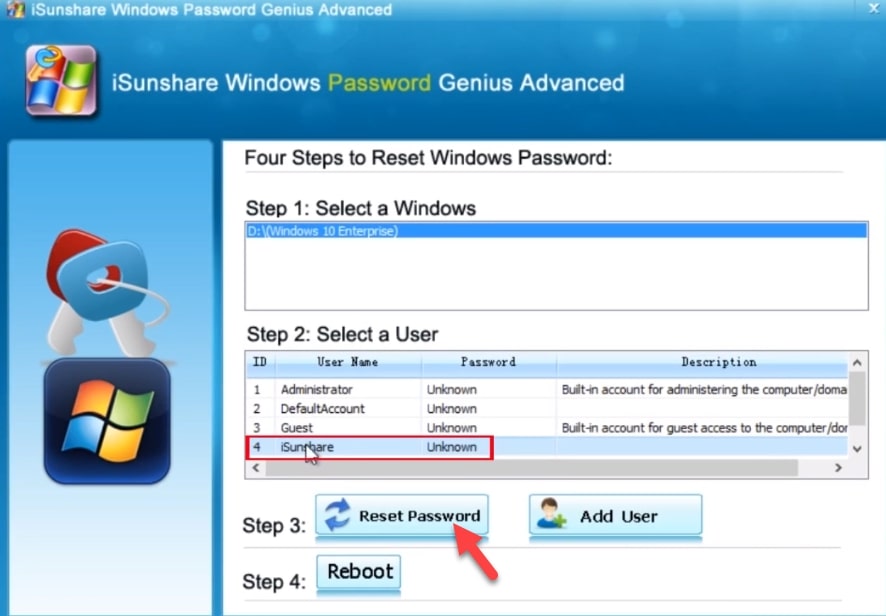
Finally, reboot your computer and once you come back then you will see your computer won’t ask for a login password. Now you can use your computer.
Read Next:
- How to install Kali Linux on Android Phone Without Root
- How to Set Dynamic Wallpapers in Android Phone
- Link Android phone to Windows 10
- How to Create A Bootable USB from Android Phone
Conclusion
There are many other ways to bypass Windows 10 login password using an Android phone. But, this method is so easy and safe. You can reset your password easily without losing your content. So, I hope you understand this method and it helped you to bypass your Windows password.